

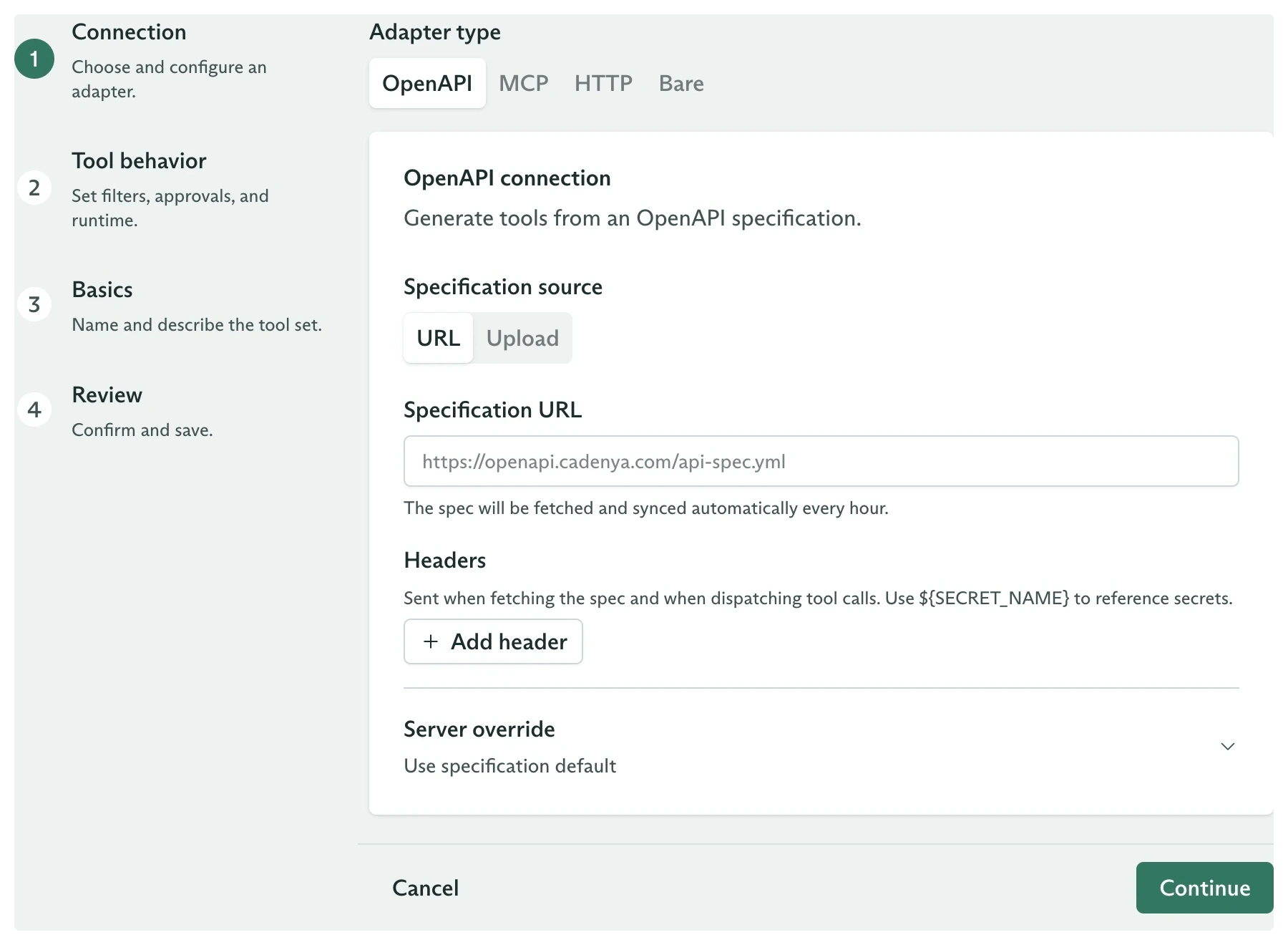
The tool set connection step with all four adapter types
Connect an OpenAPI spec
Turn each operation in a hosted or uploaded specification into a tool.
Connect an MCP server
Load tools from a Model Context Protocol server ahead of time or when an objective starts.
Wrap an HTTP API
Define each endpoint, parameter schema, and request template by hand.
Run tools in your code
Let Cadenya pause each call while your application supplies the result.
Filter tools and require approval
Limit a managed source and pause sensitive calls for review.
Compare the adapters
OpenAPI and MCP suit providers that already describe their tools. HTTP and Bare start empty, so you define each tool’s name, description, parameter schema, and approval requirement.
Configuration patterns
Each adapter supports more than one useful shape. Start with the pattern that matches your provider.OpenAPI
- Hosted specification. Use a URL when the provider publishes a specification that changes. Cadenya fetches it each hour and sends any configured headers while fetching and calling tools.
- Uploaded specification. Upload a JSON or YAML file when the document cannot be hosted or should stay fixed.
- Server routing. Use the specification’s first server, select a named server, or set a base URL override. A base URL override wins when both override fields are set.
MCP
- Ahead-of-time sync. Turn off
Just-in-time tool loadingto sync and pin the server’s tool list to the tool set. Cadenya refreshes it hourly and after adapter updates. The Tools and Sync Events tabs show what arrived. - On-demand loading. Keep
Just-in-time tool loadingon to list tools when an objective starts. This uses that objective’s resolved secrets and leaves the tool set’s synced tool count at zero. - Curated access. Add include or exclude filters, then require approval for every tool or only matching tools.
HTTP
- Path request. Put an argument in the path for calls such as
GET /orders/{{ arguments.order_id }}. - Query request. Render a query string and per-tool headers for search, pagination, or provider-specific routing.
- Body request. Use
POST,PUT, orPATCHwith a content type and Liquid request body template. Mark sensitive writes as requiring approval.
Bare
- Human response. Define a tool for a question or decision, then let your application collect a person’s answer and submit it as the result.
- Private worker. Poll for calls in
TOOL_CALL_EXECUTION_STATUS_WAITING_FOR_CONTENT, run the work inside your network, and send the result back. - Bounded wait. Set
contentTimeoutwhen a call should stop waiting before the 24-hour service default. A timeout produces a system result and lets the objective continue.
Keep credentials in secrets
OpenAPI, MCP, and HTTP adapters accept headers. Store credentials as secrets and reference them with${SECRET_NAME} instead of placing raw values in a tool set.