

The creation boundary
Objective creation resolves mutable agent configuration into an immutable run snapshot:
Editing an agent, variation, tool set, or schedule later does not rewrite an existing objective. The objective continues against its snapshot.
Variation selection happens once
PassingvariationId pins one variation. When it is omitted, the agent’s current selection mode chooses:
- Random selects every variation with equal probability.
- Feedback Driven draws one Thompson Sampling value from every variation’s Beta posterior and selects the highest.
configSnapshot.agentVariation. Feedback can change which variation a future objective selects; it never swaps the variation of an objective that already exists.
Prompt data and the first message
An objective can supply two separate JSON objects:systemPromptDatarenders the variation’ssystemPromptTemplate.firstUserMessageDatarenders itsfirstUserMessageTemplate.
system_prompt_data and first_user_message_data inside the corresponding templates:
firstUserMessage overrides the rendered first user message template. Objective creation fails when neither an explicit message nor a selected variation template can produce one.
When the agent defines systemPromptDataSchema, the supplied systemPromptData must satisfy it before execution starts.
Lifecycle states
STATE_WAITING is deliberately non-terminal. A conversational agent without structured output usually ends each turn there.
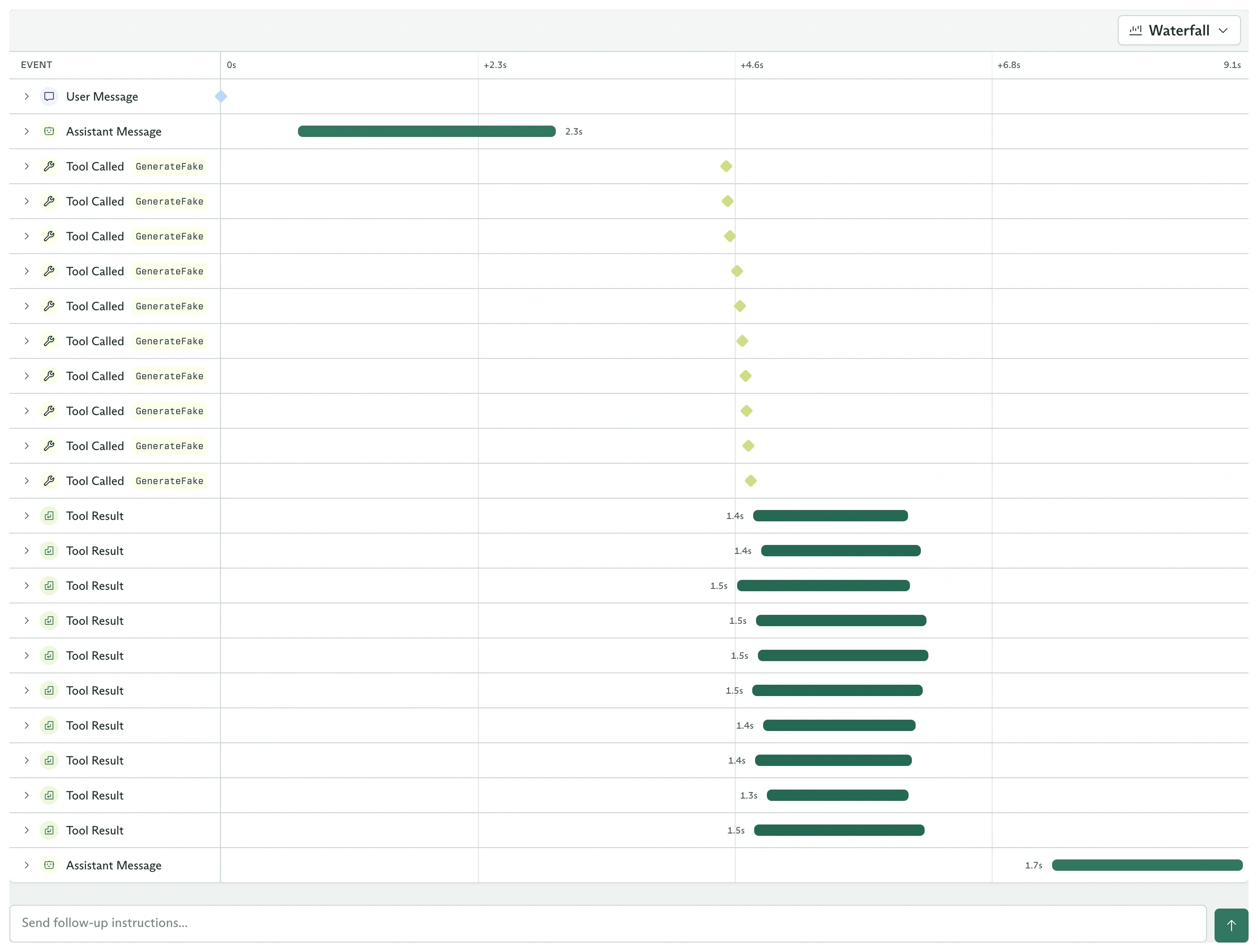
The timeline keeps every message, tool call, and result in execution order
Tools are fixed for the run
Cadenya resolves the selected variation’s individual tools and tool-set assignments at objective creation. The resulting objective tool catalog does not change when an assignment or tool set changes later. Progressive discovery changes how much of that catalog enters the model’s context at once:- Without discovery, all reachable tool definitions are loaded.
- With discovery,
tool_searchfinds matching assigned tools and loads them in batches during execution.
toolApprovalRequested and waits until it is approved, denied, or times out.
The objective remains STATE_RUNNING while a gated tool call waits. Read the
tool call’s TOOL_CALL_STATUS_WAITING_FOR_APPROVAL status or the
toolApprovalRequested event to distinguish that pause from active model work.
Memory is a precedence cascade
The effective memory cascade is ordered from most specific to least specific:- The agent-managed episodic layer, when enabled for this objective.
- Layers and pinned entries supplied in the objective’s
memoryCascade. - Memory layers assigned to the selected variation, ordered by position.
get_memory for the keys it needs.
Context windows and compaction
Every objective begins with one context window. The selected variation controls the automatic compaction threshold. When the context reaches that threshold:- Optional tool-result clearing replaces older result bodies with placeholders while preserving their calls and arguments.
- Summarization condenses the older conversation.
- Cadenya creates a new context window and carries the summary forward.
Events are a discriminated union
Every durable event hasdata.type and one payload with the matching name. The TypeScript SDK represents ObjectiveEvent.data as an 18-variant discriminated union:
Switching on
type exposes only the payload for that branch:
never check when your application must handle every variant. TypeScript then reports a compile error when a future SDK adds another event type.
Continue, finalize, or cancel
Continue aSTATE_WAITING objective with one new message. It keeps its snapshot, history, context windows, and original secrets. Prompt data and secrets cannot be replaced on continuation, so create another objective when those inputs must change.
An agent with outputDefinition runs structured extraction and reaches STATE_FINALIZED. Its machine-readable value appears at objective.output and finalized.output.
Cancel pending or running work when it should stop. Cancellation is asynchronous, so retrieve the objective again when your application must observe STATE_CANCELLED.
Feedback changes future traffic
Objective feedback accepts a score from-1 to 1:
- Positive scores add their magnitude to the selected variation’s alpha value.
- Negative scores add their absolute magnitude to beta.
- Zero adds
0.5to both, providing neutral evidence.
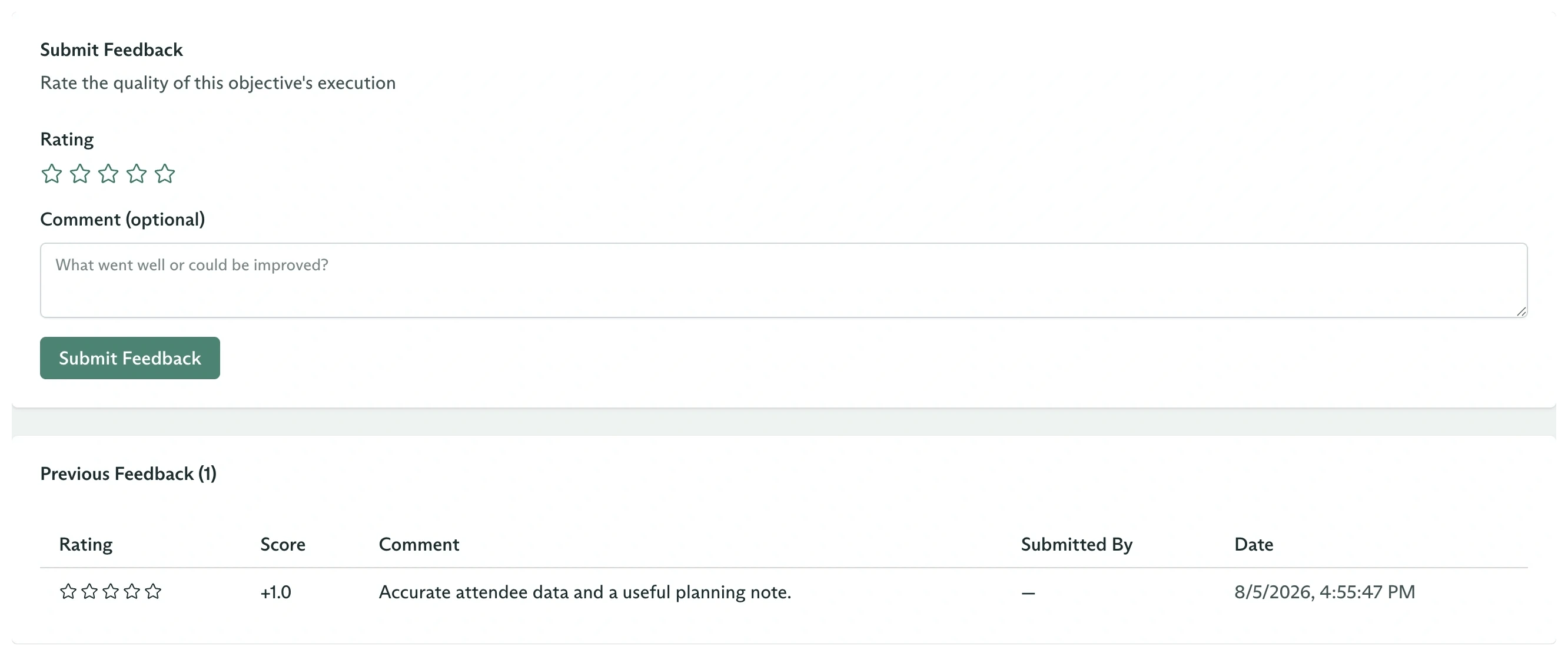
Feedback remains attached to the objective and its selected variation
Run your first objective
Create a run in the dashboard and inspect every surface.
Objectives from the SDK
Dispatch, stream, continue, cancel, and score from code.
Stream objective events
Handle SSE control frames, reconnects, and typed payloads.
Feedback and sampling
Follow an objective score into a future variation selection.