

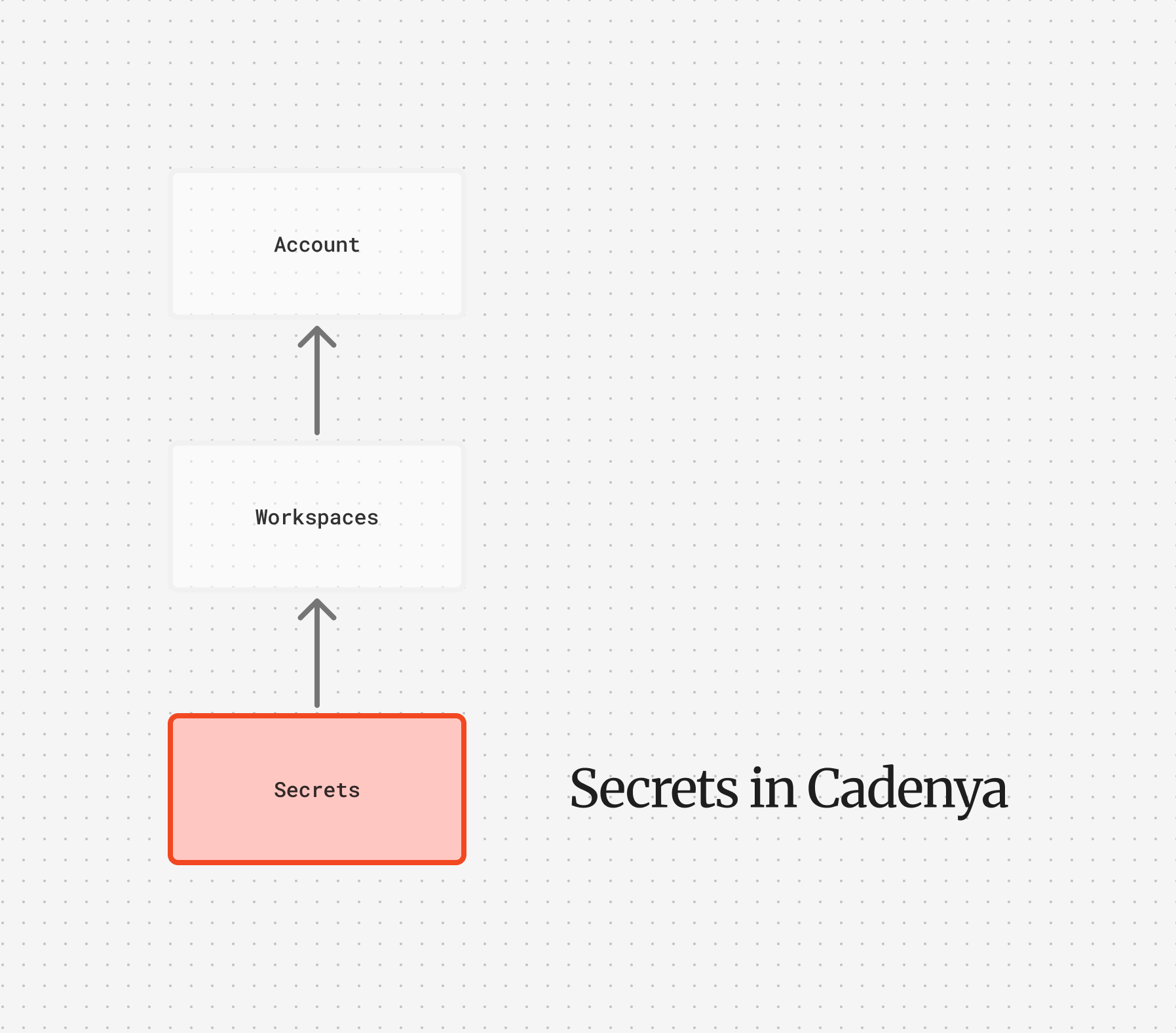
${SECRET_NAME} references in your adapter headers by looking up secrets. The plaintext value is used for the request but never exposed through the API. To create one and wire it up step by step, see Store and use a secret.
Workspace secrets
Workspace secrets are available to any tool set in the workspace. These are your go-to for credentials that multiple agents or tool sets share, like a third-party API key or a database connection token. Workspace secrets are identified by name and tracked with alast_used_at timestamp so you can audit which secrets are in use. To build the ${NAME} reference, Cadenya uppercases the name and turns spaces and hyphens into underscores, so billing-key resolves as ${BILLING_KEY}. Keep names to letters, digits, and underscores and the reference reads exactly like the name.
Interpolation
Reference secrets in your tool set adapter headers using${SECRET_NAME} syntax:
unresolved_secrets error rather than surfacing on a later call.
Encryption
Secret values are encrypted at rest using envelope encryption. A per-account data encryption key (derived from a root key) encrypts each value with a unique IV. The API never returns secret values in responses, only metadata like the name, labels, and last used timestamp.Connecting to tools
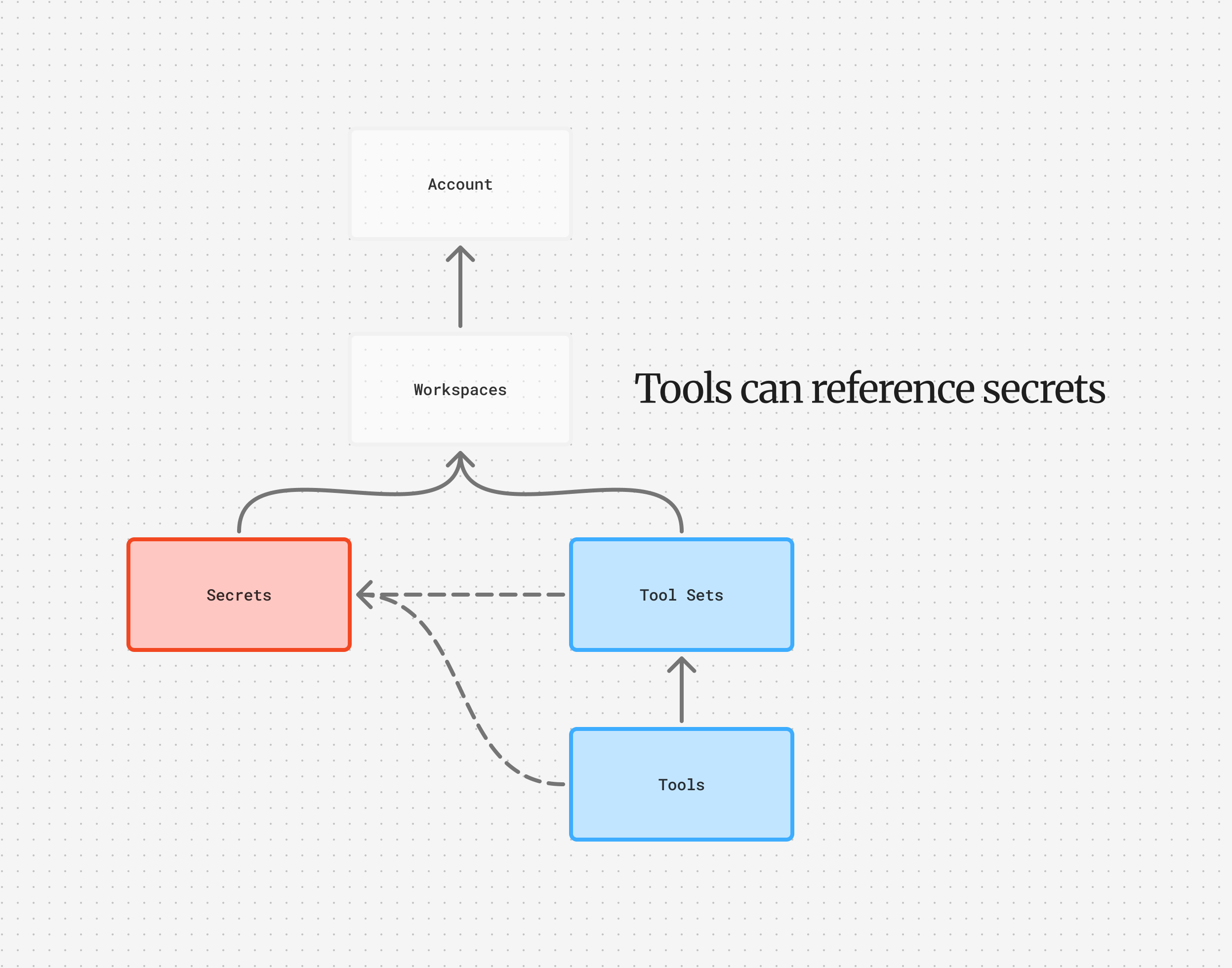
${NAME} references at the adapter level: an individual HTTP tool’s own headers render the model’s arguments through Liquid, not secrets.
Objective secrets
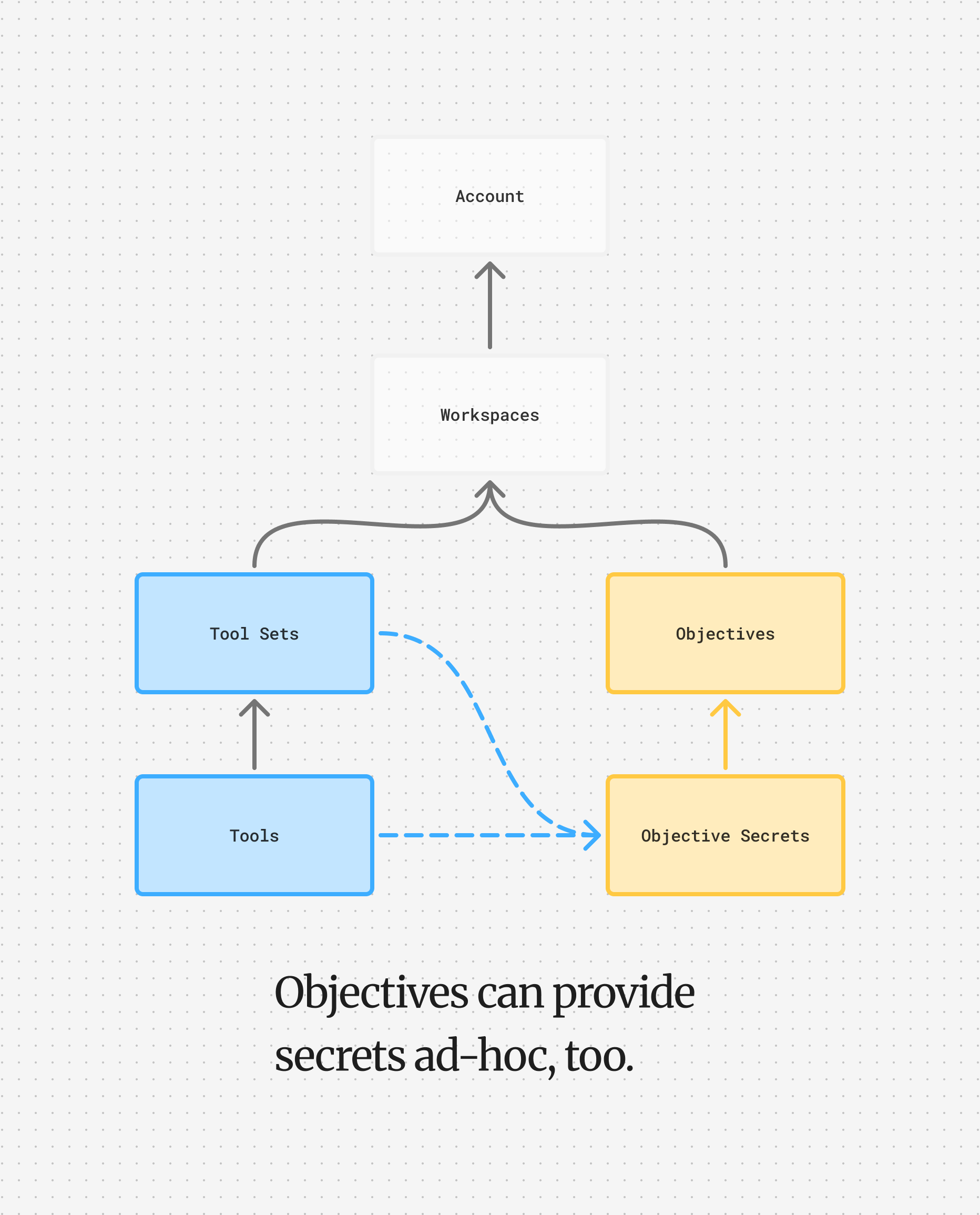
- Objective secrets (highest priority)
- Tool set secrets
- Workspace secrets
- System keys (managed by Cadenya)
${NAME}, the call’s resolvedSecrets records which scope it came from (RESOLVED_SECRET_SOURCE_OBJECTIVE, _TOOLSET, or _WORKSPACE), so you can confirm the right one won without seeing the value.
The system layer provides one secret you never create: ${CADENYA_SYSTEM_API_KEY}, a short-lived token Cadenya mints for each call. Reference it in a header when a tool needs to call the Cadenya API itself, such as an MCP server that reads or updates your workspace.