> ## Documentation Index
> Fetch the complete documentation index at: https://cadenya.com/docs/llms.txt
> Use this file to discover all available pages before exploring further.
# How secrets work
> Store sensitive values and interpolate them into tool adapter headers. Secrets keep your API keys out of your tool configuration.
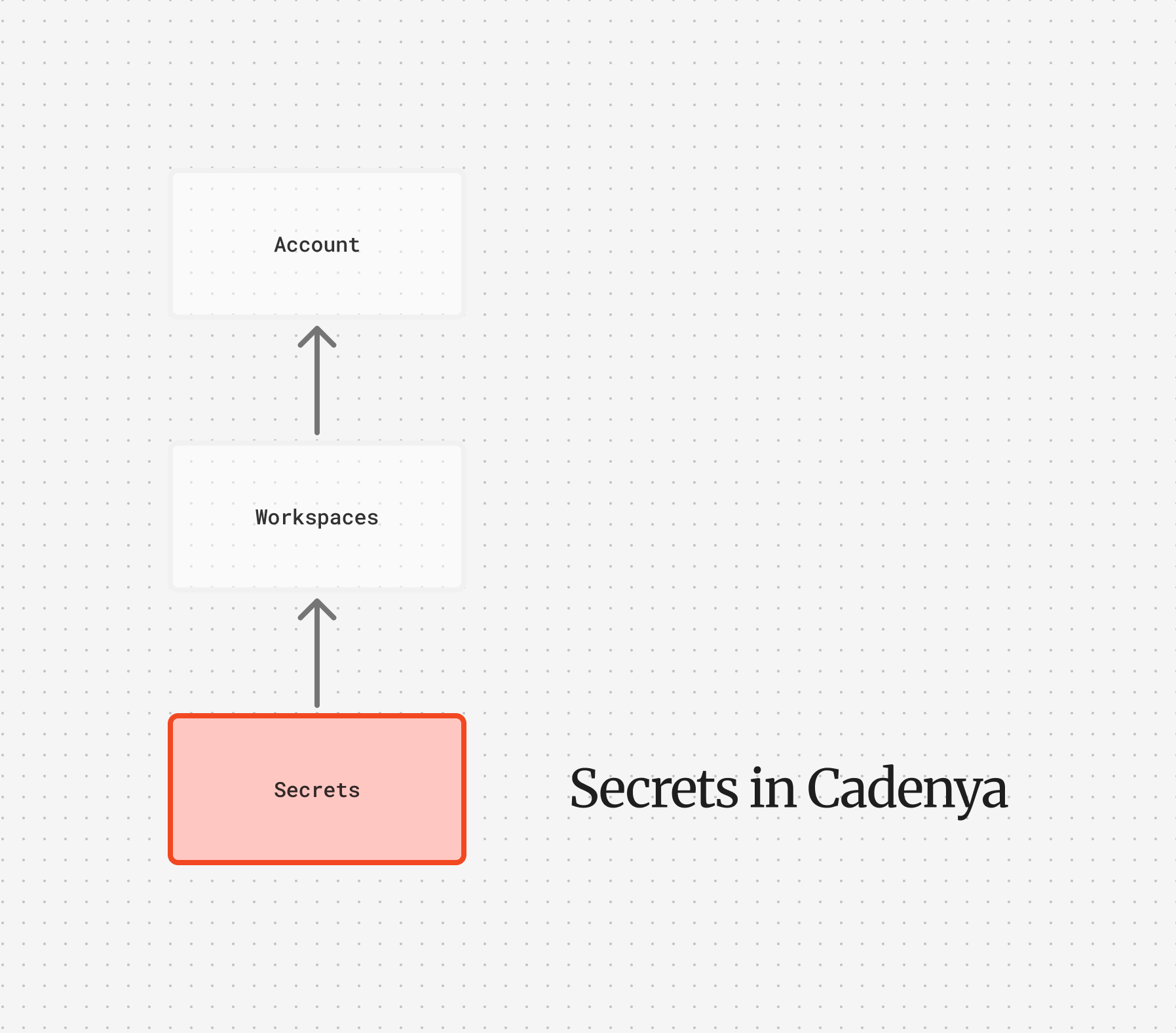 Your tools need credentials. API keys, bearer tokens, service account headers. Secrets are how you store those values in Cadenya without hardcoding them into your tool set adapter configuration.
When Cadenya invokes a tool, it resolves any `${SECRET_NAME}` references in your adapter headers by looking up secrets. The plaintext value is used for the request but never exposed through the API. To create one and wire it up step by step, see [Store and use a secret](/docs/guides/store-and-use-secrets).
## Workspace secrets
Workspace secrets are available to any tool set in the workspace. These are your go-to for credentials that multiple agents or tool sets share, like a third-party API key or a database connection token.
Workspace secrets are identified by name and tracked with a `last_used_at` timestamp so you can audit which secrets are in use. To build the `${NAME}` reference, Cadenya uppercases the name and turns spaces and hyphens into underscores, so `billing-key` resolves as `${BILLING_KEY}`. Keep names to letters, digits, and underscores and the reference reads exactly like the name.
## Interpolation
Reference secrets in your tool set adapter headers using `${SECRET_NAME}` syntax:
```
Authorization: Bearer ${STRIPE_API_KEY}
X-Custom-Token: ${CUSTOMER_TOKEN}
```
When Cadenya calls a tool, it resolves these references before making the request. When you connect an MCP or OpenAPI tool set, Cadenya validates the references up front, so a missing secret fails the sync with an `unresolved_secrets` error rather than surfacing on a later call.
## Encryption
Secret values are encrypted at rest using envelope encryption. A per-account data encryption key (derived from a root key) encrypts each value with a unique IV. The API never returns secret values in responses, only metadata like the name, labels, and last used timestamp.
You can find your workspace secrets in the [Cadenya
dashboard](https://app.cadenya.com). Objective secrets are passed
through the API when you start an objective.
## Connecting to tools
Your tools need credentials. API keys, bearer tokens, service account headers. Secrets are how you store those values in Cadenya without hardcoding them into your tool set adapter configuration.
When Cadenya invokes a tool, it resolves any `${SECRET_NAME}` references in your adapter headers by looking up secrets. The plaintext value is used for the request but never exposed through the API. To create one and wire it up step by step, see [Store and use a secret](/docs/guides/store-and-use-secrets).
## Workspace secrets
Workspace secrets are available to any tool set in the workspace. These are your go-to for credentials that multiple agents or tool sets share, like a third-party API key or a database connection token.
Workspace secrets are identified by name and tracked with a `last_used_at` timestamp so you can audit which secrets are in use. To build the `${NAME}` reference, Cadenya uppercases the name and turns spaces and hyphens into underscores, so `billing-key` resolves as `${BILLING_KEY}`. Keep names to letters, digits, and underscores and the reference reads exactly like the name.
## Interpolation
Reference secrets in your tool set adapter headers using `${SECRET_NAME}` syntax:
```
Authorization: Bearer ${STRIPE_API_KEY}
X-Custom-Token: ${CUSTOMER_TOKEN}
```
When Cadenya calls a tool, it resolves these references before making the request. When you connect an MCP or OpenAPI tool set, Cadenya validates the references up front, so a missing secret fails the sync with an `unresolved_secrets` error rather than surfacing on a later call.
## Encryption
Secret values are encrypted at rest using envelope encryption. A per-account data encryption key (derived from a root key) encrypts each value with a unique IV. The API never returns secret values in responses, only metadata like the name, labels, and last used timestamp.
You can find your workspace secrets in the [Cadenya
dashboard](https://app.cadenya.com). Objective secrets are passed
through the API when you start an objective.
## Connecting to tools
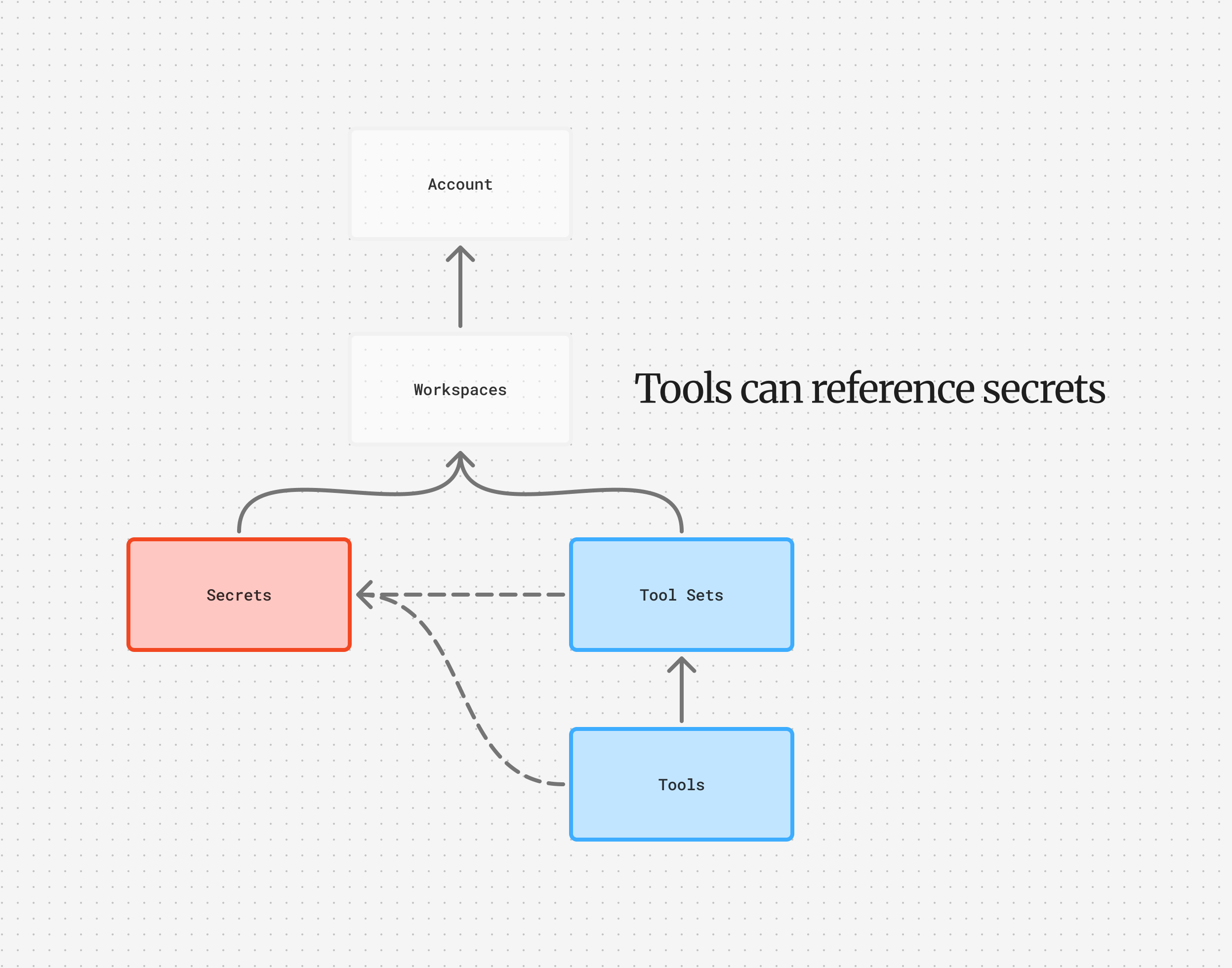 Secrets plug into [tool set adapters](/docs/guides/tools#adapters). The MCP, HTTP, and OpenAPI adapters all interpolate their headers, so your adapter config looks like:
```yaml theme={null}
adapter:
type: mcp
mcp:
url: https://your-mcp-server.example.com
headers:
Authorization: "Bearer ${MCP_SERVER_TOKEN}"
```
Or for HTTP:
```yaml theme={null}
adapter:
type: http
http:
base_url: https://api.example.com
headers:
Authorization: "Bearer ${API_KEY}"
X-Tenant: "${TENANT_ID}"
```
The same secret interpolation works on an OpenAPI adapter's headers too. Keep your `${NAME}` references at the adapter level: an individual HTTP tool's own headers render the model's arguments through Liquid, not secrets.
## Objective secrets
Secrets plug into [tool set adapters](/docs/guides/tools#adapters). The MCP, HTTP, and OpenAPI adapters all interpolate their headers, so your adapter config looks like:
```yaml theme={null}
adapter:
type: mcp
mcp:
url: https://your-mcp-server.example.com
headers:
Authorization: "Bearer ${MCP_SERVER_TOKEN}"
```
Or for HTTP:
```yaml theme={null}
adapter:
type: http
http:
base_url: https://api.example.com
headers:
Authorization: "Bearer ${API_KEY}"
X-Tenant: "${TENANT_ID}"
```
The same secret interpolation works on an OpenAPI adapter's headers too. Keep your `${NAME}` references at the adapter level: an individual HTTP tool's own headers render the model's arguments through Liquid, not secrets.
## Objective secrets
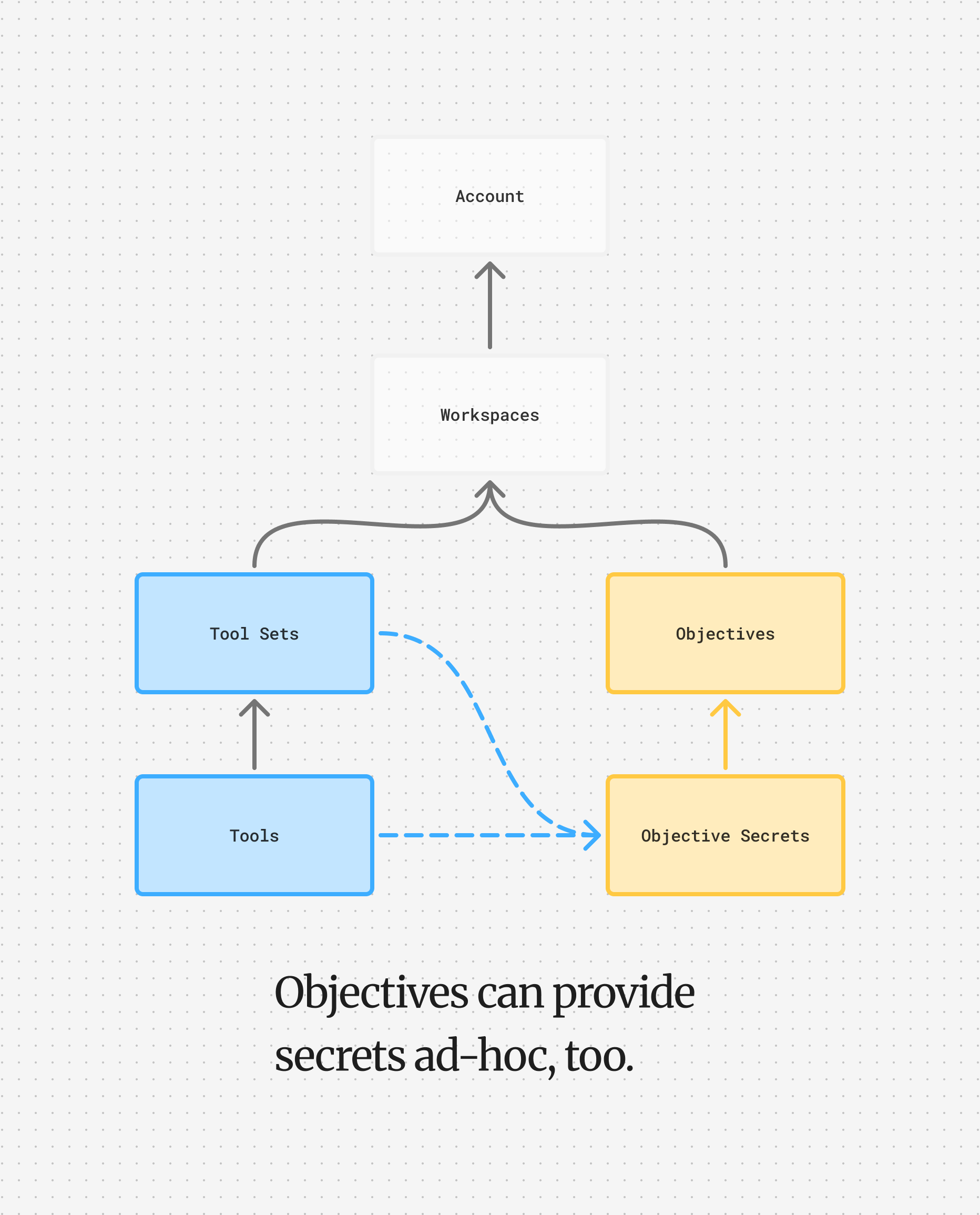 Objective secrets are scoped to a single objective and provided when [creating an objective](/docs/api-reference/objectiveservice/create-a-new-objective). Objectives with their own secrets override workspace secrets when their keys match. Objective secrets can also be provided on their own, which is useful for short-lived tokens tied to an objective session.
For example, you might pass a JWT that authenticates as a specific user against your API. When tool operations are performed during the objective, they're performed *as the user* for the JWT you provide to Cadenya. The agent gets to act on behalf of your customer without you ever exposing long-lived credentials.
All secrets provided to an objective are encrypted using the same principles as workspace secrets.
The resolution order when a tool is called:
1. Objective secrets (highest priority)
2. Tool set secrets
3. Workspace secrets
4. System keys (managed by Cadenya)
The first source that has the name wins, so an objective secret shadows a [tool set secret](/docs/api-reference/toolservice/create-a-new-tool-set-secret) of the same name, and a tool set secret shadows a workspace one. A [tool set secret](/docs/api-reference/toolservice/create-a-new-tool-set-secret) is scoped to one tool set, which suits a credential only that provider needs. When a tool call resolves a `${NAME}`, the call's `resolvedSecrets` records which scope it came from (`RESOLVED_SECRET_SOURCE_OBJECTIVE`, `_TOOLSET`, or `_WORKSPACE`), so you can confirm the right one won without seeing the value.
The system layer provides one secret you never create: `${CADENYA_SYSTEM_API_KEY}`, a short-lived token Cadenya mints for each call. Reference it in a header when a tool needs to call the Cadenya API itself, such as an MCP server that reads or updates your workspace.
Objective secrets are scoped to a single objective and provided when [creating an objective](/docs/api-reference/objectiveservice/create-a-new-objective). Objectives with their own secrets override workspace secrets when their keys match. Objective secrets can also be provided on their own, which is useful for short-lived tokens tied to an objective session.
For example, you might pass a JWT that authenticates as a specific user against your API. When tool operations are performed during the objective, they're performed *as the user* for the JWT you provide to Cadenya. The agent gets to act on behalf of your customer without you ever exposing long-lived credentials.
All secrets provided to an objective are encrypted using the same principles as workspace secrets.
The resolution order when a tool is called:
1. Objective secrets (highest priority)
2. Tool set secrets
3. Workspace secrets
4. System keys (managed by Cadenya)
The first source that has the name wins, so an objective secret shadows a [tool set secret](/docs/api-reference/toolservice/create-a-new-tool-set-secret) of the same name, and a tool set secret shadows a workspace one. A [tool set secret](/docs/api-reference/toolservice/create-a-new-tool-set-secret) is scoped to one tool set, which suits a credential only that provider needs. When a tool call resolves a `${NAME}`, the call's `resolvedSecrets` records which scope it came from (`RESOLVED_SECRET_SOURCE_OBJECTIVE`, `_TOOLSET`, or `_WORKSPACE`), so you can confirm the right one won without seeing the value.
The system layer provides one secret you never create: `${CADENYA_SYSTEM_API_KEY}`, a short-lived token Cadenya mints for each call. Reference it in a header when a tool needs to call the Cadenya API itself, such as an MCP server that reads or updates your workspace.