> ## Documentation Index
> Fetch the complete documentation index at: https://cadenya.com/docs/llms.txt
> Use this file to discover all available pages before exploring further.
# Getting started
> Understand the core Cadenya workflow and how the pieces fit together.
Welcome to Cadenya. This page walks you through the core workflow so you understand how the pieces connect before diving into the details.
If you want to look at code, the [Building a Slack bot](/docs/use-cases/slack-bots) walkthrough wires Cadenya end to end with the Slack Bolt framework.
## What you need
Before you start, you need:
* A Cadenya account
* A workspace
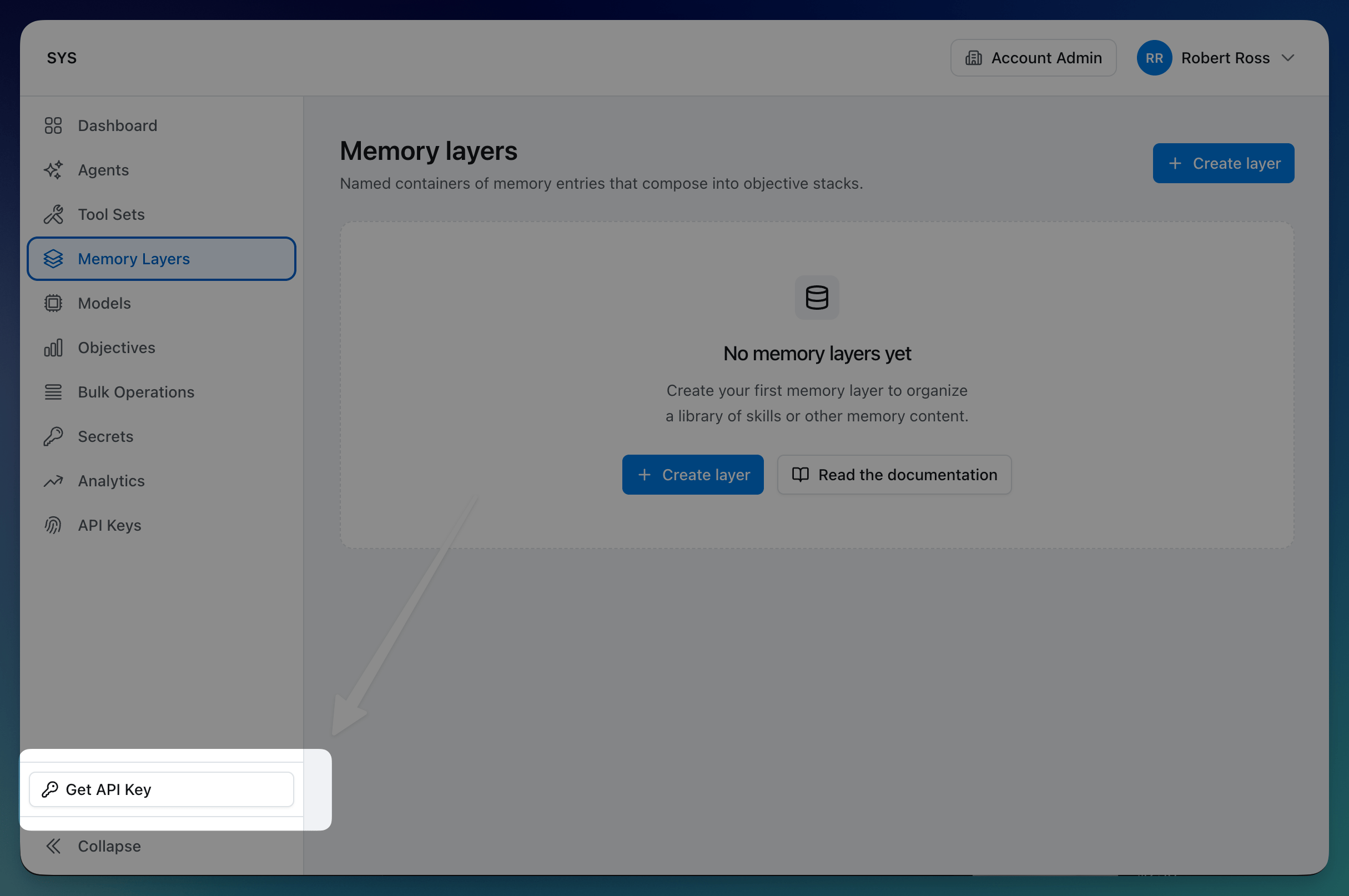
* An API key (grab the global key from the dashboard, or create one scoped to a workspace)
 ## The workflow
Every Cadenya project follows the same pattern: connect tools, configure an agent, and run objectives.
### 1. Connect your tools
[Tool sets](/docs/guides/tools) connect Cadenya to the services your agent needs. Point a tool set at an MCP server or OpenAPI spec and Cadenya syncs the tools it finds, or wrap a plain HTTP API by defining each tool yourself. You can filter which tools sync and require approval on sensitive ones.
If your tools need credentials, store them as [secrets](/docs/guides/secrets) and reference them in your adapter headers. Cadenya encrypts them at rest and interpolates them at call time.
**API reference:** [Tool sets](/docs/api-reference/toolservice/list-tool-sets), [Workspace secrets](/docs/api-reference/workspacesecretservice/list-workspace-secrets).
### 2. Configure an agent
[Agents](/docs/guides/agents) are where you define behavior. An agent has one or more **variations**, each with its own system prompt, model, tools, and [memory layers](/docs/guides/memory-layers).
Variations are how you experiment. You can run multiple variations side-by-side and let Cadenya select the best performer based on feedback. Or keep it simple with a single variation and iterate on the prompt.
**API reference:** [Agents](/docs/api-reference/agentservice/list-agents), [Agent variations](/docs/api-reference/agentvariationservice/list-variations), [Memory layers](/docs/api-reference/memoryservice/list-memory-layers).
### 3. Run an objective
An [objective](/docs/guides/objectives) is a task you give to an agent. You provide an initial message (and optionally structured data, memory layers, and secrets), and the agent goes to work. It calls tools, reads memory, and iterates until the job is done.
As the agent works, Cadenya sends [webhooks](/docs/guides/webhooks) for every event: messages, tool calls, approval requests. You wire these up to your application to keep users informed and handle approvals.
**API reference:** [Objectives](/docs/api-reference/objectiveservice/list-objectives), [Objective events](/docs/api-reference/objectiveservice/list-objective-events), [Webhook deliveries](/docs/api-reference/agentservice/list-webhook-deliveries).
### 4. Close the loop
After an objective completes, you can provide [feedback](/docs/guides/objectives#feedback) to score the result. Feedback drives variation selection over time, so agents get better at picking the right configuration for the job.
**API reference:** [Submit feedback](/docs/api-reference/objectiveservice/submit-feedback-for-an-objective).
## What's next
Ready to build? [Configure a simple agent](/docs/guides/configure-a-simple-agent) walks the shortest path to a working agent, and the [Quickstart](/docs/quickstart) runs your first objective straight from the API.
To go deeper on any piece:
* [Agents](/docs/guides/agents): variations, selection modes, progressive discovery, and compaction
* [Tools](/docs/guides/tools): adapters, filtering, approval, and assignment
* [Secrets](/docs/guides/secrets): encrypted credentials for your tool adapters
* [Memory layers](/docs/guides/memory-layers): on-demand context for your agents
* [Objectives](/docs/guides/objectives): lifecycle, events, context windows, and feedback
* [API design](/docs/guides/api-design): how Cadenya's API is structured
* [Handling webhooks](/docs/guides/webhooks): real-time events from your agents
## The workflow
Every Cadenya project follows the same pattern: connect tools, configure an agent, and run objectives.
### 1. Connect your tools
[Tool sets](/docs/guides/tools) connect Cadenya to the services your agent needs. Point a tool set at an MCP server or OpenAPI spec and Cadenya syncs the tools it finds, or wrap a plain HTTP API by defining each tool yourself. You can filter which tools sync and require approval on sensitive ones.
If your tools need credentials, store them as [secrets](/docs/guides/secrets) and reference them in your adapter headers. Cadenya encrypts them at rest and interpolates them at call time.
**API reference:** [Tool sets](/docs/api-reference/toolservice/list-tool-sets), [Workspace secrets](/docs/api-reference/workspacesecretservice/list-workspace-secrets).
### 2. Configure an agent
[Agents](/docs/guides/agents) are where you define behavior. An agent has one or more **variations**, each with its own system prompt, model, tools, and [memory layers](/docs/guides/memory-layers).
Variations are how you experiment. You can run multiple variations side-by-side and let Cadenya select the best performer based on feedback. Or keep it simple with a single variation and iterate on the prompt.
**API reference:** [Agents](/docs/api-reference/agentservice/list-agents), [Agent variations](/docs/api-reference/agentvariationservice/list-variations), [Memory layers](/docs/api-reference/memoryservice/list-memory-layers).
### 3. Run an objective
An [objective](/docs/guides/objectives) is a task you give to an agent. You provide an initial message (and optionally structured data, memory layers, and secrets), and the agent goes to work. It calls tools, reads memory, and iterates until the job is done.
As the agent works, Cadenya sends [webhooks](/docs/guides/webhooks) for every event: messages, tool calls, approval requests. You wire these up to your application to keep users informed and handle approvals.
**API reference:** [Objectives](/docs/api-reference/objectiveservice/list-objectives), [Objective events](/docs/api-reference/objectiveservice/list-objective-events), [Webhook deliveries](/docs/api-reference/agentservice/list-webhook-deliveries).
### 4. Close the loop
After an objective completes, you can provide [feedback](/docs/guides/objectives#feedback) to score the result. Feedback drives variation selection over time, so agents get better at picking the right configuration for the job.
**API reference:** [Submit feedback](/docs/api-reference/objectiveservice/submit-feedback-for-an-objective).
## What's next
Ready to build? [Configure a simple agent](/docs/guides/configure-a-simple-agent) walks the shortest path to a working agent, and the [Quickstart](/docs/quickstart) runs your first objective straight from the API.
To go deeper on any piece:
* [Agents](/docs/guides/agents): variations, selection modes, progressive discovery, and compaction
* [Tools](/docs/guides/tools): adapters, filtering, approval, and assignment
* [Secrets](/docs/guides/secrets): encrypted credentials for your tool adapters
* [Memory layers](/docs/guides/memory-layers): on-demand context for your agents
* [Objectives](/docs/guides/objectives): lifecycle, events, context windows, and feedback
* [API design](/docs/guides/api-design): how Cadenya's API is structured
* [Handling webhooks](/docs/guides/webhooks): real-time events from your agents