> ## Documentation Index
> Fetch the complete documentation index at: https://cadenya.com/docs/llms.txt
> Use this file to discover all available pages before exploring further.
# Get structured output
> Configure an agent with a JSON Schema, run an objective, and consume its typed output from the dashboard, SDK, event stream, or webhook.
Structured output gives every successful objective a machine-readable result that follows an agent-level JSON Schema. The conversation remains available in the timeline, while `objective.output` carries the value your application consumes.
This guide builds a small refund-decision agent that returns:
```json theme={null}
{
"approved": true,
"reason": "The item arrived damaged."
}
```
## Define the schema
Open **Agents** and create a new agent, or open an existing draft agent and select **Actions** → **Edit**.
Under **Structured output**:
1. Turn on **Enable structured output**.
2. Enter this value in **Output schema**:
```json theme={null}
{
"type": "object",
"properties": {
"approved": {
"type": "boolean"
},
"reason": {
"type": "string"
}
},
"required": [
"approved",
"reason"
],
"additionalProperties": false
}
```
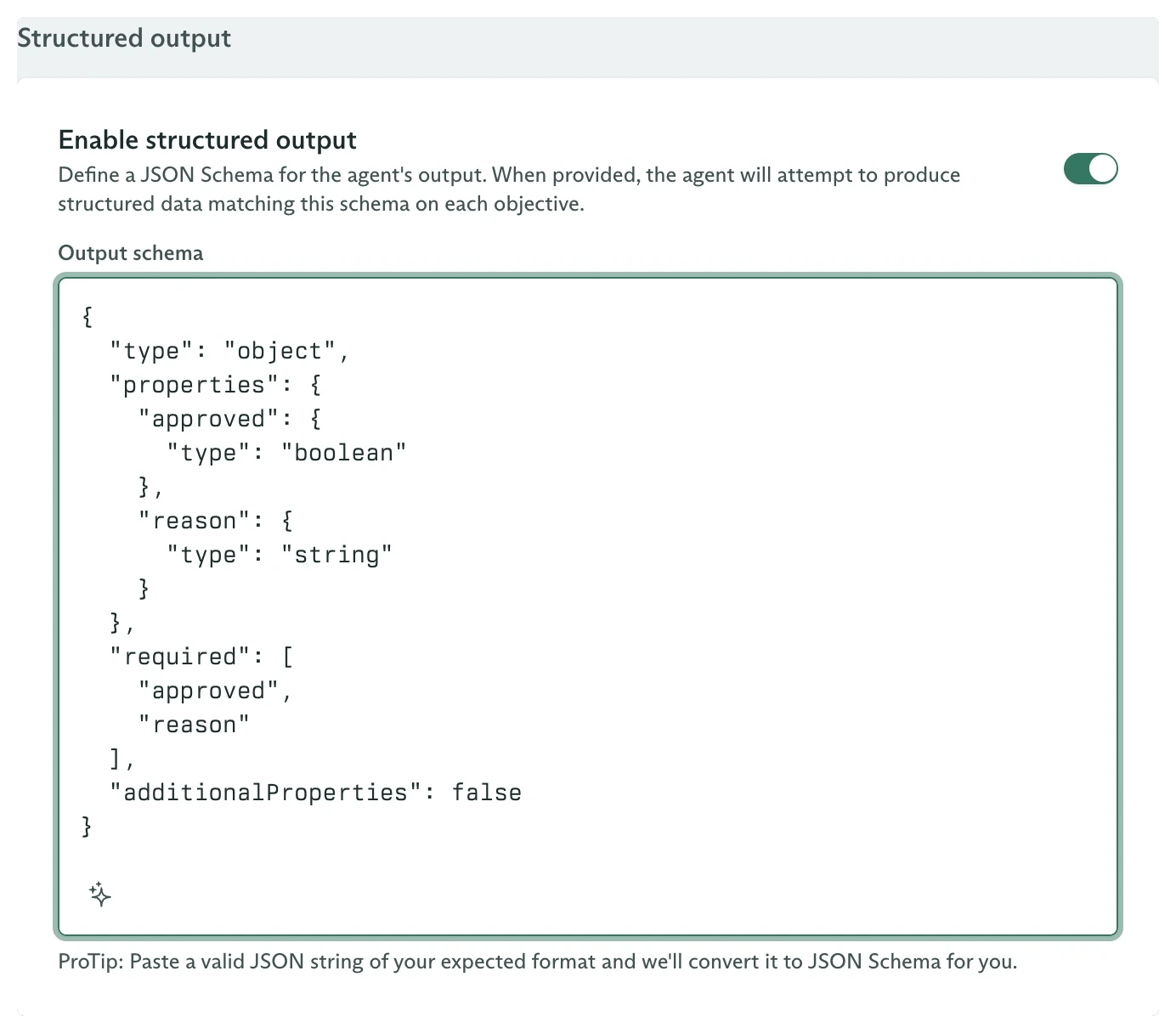 You can also paste a representative JSON value:
```json theme={null}
{
"approved": true,
"reason": ""
}
```
The dashboard converts a pasted value into JSON Schema and marks every example key as required. Paste a schema directly when optional fields, enums, nested constraints, or `additionalProperties` need explicit control.
Save the agent. Create a variation with a model and a prompt such as:
```text theme={null}
Decide whether the request satisfies the stated refund policy. Explain the decision directly.
```
Publish the agent after it has at least one valid variation.
## Run an objective
Open **Objectives**, select **New Objective**, and choose the published agent.
Use this **First User Message**:
```text theme={null}
The item arrived damaged. Should we approve a refund?
```
Select **Create Objective**. The agent processes the task, then Cadenya runs structured extraction with the selected variation's model and the snapshotted schema.
The objective reaches **Finalized** when extraction succeeds. In **Timeline**, the **Finalized** event displays **Structured Output** with a **Copy** action.
You can also paste a representative JSON value:
```json theme={null}
{
"approved": true,
"reason": ""
}
```
The dashboard converts a pasted value into JSON Schema and marks every example key as required. Paste a schema directly when optional fields, enums, nested constraints, or `additionalProperties` need explicit control.
Save the agent. Create a variation with a model and a prompt such as:
```text theme={null}
Decide whether the request satisfies the stated refund policy. Explain the decision directly.
```
Publish the agent after it has at least one valid variation.
## Run an objective
Open **Objectives**, select **New Objective**, and choose the published agent.
Use this **First User Message**:
```text theme={null}
The item arrived damaged. Should we approve a refund?
```
Select **Create Objective**. The agent processes the task, then Cadenya runs structured extraction with the selected variation's model and the snapshotted schema.
The objective reaches **Finalized** when extraction succeeds. In **Timeline**, the **Finalized** event displays **Structured Output** with a **Copy** action.
 The same object appears on the retrieved objective:
```typescript theme={null}
const objective = await client.objectives.retrieve(objectiveId, {
workspaceId,
});
if (objective.state !== 'STATE_FINALIZED') {
throw new Error(`Objective is ${objective.state}`);
}
console.log(objective.output);
```
## Read output from the event stream
`finalized.output` is narrowed by the objective-event union:
```typescript theme={null}
events:
for await (const event of stream) {
const data = event.data;
switch (data.type) {
case 'finalized':
console.log(data.finalized.output);
break events;
case 'error':
throw new Error(data.error.message ?? 'Objective failed');
}
}
```
The finalized webhook carries the same value at `data.objectiveEvent.data.finalized.output`.
## Configure the same schema from code
The schema belongs to the agent, not its variations:
```typescript theme={null}
const agent = await client.agents.create({
workspaceId,
metadata: {
name: 'Refund Decider',
externalId: 'refund-decider',
},
spec: {
description: 'Returns a structured refund decision.',
variationSelectionMode: 'VARIATION_SELECTION_MODE_RANDOM',
outputDefinition: {
type: 'object',
properties: {
approved: { type: 'boolean' },
reason: { type: 'string' },
},
required: ['approved', 'reason'],
additionalProperties: false,
},
},
});
```
Add a variation and publish the agent before creating an objective. The [agents SDK guide](/docs/guides/sdk/agents) contains that complete lifecycle.
## Failure and cost behavior
Structured extraction is a separate model call after the agent finishes its work:
* It uses the selected variation's model.
* It is billed as another model call.
* Cadenya attempts extraction up to three times.
* The schema is snapshotted when the objective is created.
If extraction cannot produce a matching object, the objective can finalize without `output`. Treat absence as an extraction failure in application code even when the terminal state is `STATE_FINALIZED`.
Inspect the timeline, details, continuations, and feedback in the dashboard.
Consume the typed finalized payload without polling.
Dispatch, continue, cancel, and score objectives.
React to finalized and error events from a durable delivery.
The same object appears on the retrieved objective:
```typescript theme={null}
const objective = await client.objectives.retrieve(objectiveId, {
workspaceId,
});
if (objective.state !== 'STATE_FINALIZED') {
throw new Error(`Objective is ${objective.state}`);
}
console.log(objective.output);
```
## Read output from the event stream
`finalized.output` is narrowed by the objective-event union:
```typescript theme={null}
events:
for await (const event of stream) {
const data = event.data;
switch (data.type) {
case 'finalized':
console.log(data.finalized.output);
break events;
case 'error':
throw new Error(data.error.message ?? 'Objective failed');
}
}
```
The finalized webhook carries the same value at `data.objectiveEvent.data.finalized.output`.
## Configure the same schema from code
The schema belongs to the agent, not its variations:
```typescript theme={null}
const agent = await client.agents.create({
workspaceId,
metadata: {
name: 'Refund Decider',
externalId: 'refund-decider',
},
spec: {
description: 'Returns a structured refund decision.',
variationSelectionMode: 'VARIATION_SELECTION_MODE_RANDOM',
outputDefinition: {
type: 'object',
properties: {
approved: { type: 'boolean' },
reason: { type: 'string' },
},
required: ['approved', 'reason'],
additionalProperties: false,
},
},
});
```
Add a variation and publish the agent before creating an objective. The [agents SDK guide](/docs/guides/sdk/agents) contains that complete lifecycle.
## Failure and cost behavior
Structured extraction is a separate model call after the agent finishes its work:
* It uses the selected variation's model.
* It is billed as another model call.
* Cadenya attempts extraction up to three times.
* The schema is snapshotted when the objective is created.
If extraction cannot produce a matching object, the objective can finalize without `output`. Treat absence as an extraction failure in application code even when the terminal state is `STATE_FINALIZED`.
Inspect the timeline, details, continuations, and feedback in the dashboard.
Consume the typed finalized payload without polling.
Dispatch, continue, cancel, and score objectives.
React to finalized and error events from a durable delivery.