> ## Documentation Index
> Fetch the complete documentation index at: https://cadenya.com/docs/llms.txt
> Use this file to discover all available pages before exploring further.
# Create and publish an agent
> Create a draft agent in the dashboard, configure its first variation, publish it, and send it an objective.
An agent is the stable identity your application runs. A variation supplies the prompt, model, constraints, and assignments that determine how it runs.
This guide builds a small `Concise Helper` agent with one variation and no tools. The dashboard handles configuration. Code appears only when you send the finished agent an objective.
## What you need
* A Cadenya workspace where you can manage agents.
* At least one enabled model in the workspace.
* For the final step, an API key with **Objectives: Manage** and the workspace ID.
## Create the draft agent
Select **Agents**, click **Create Agent**, and enter:
| Field | Value | Why it matters |
| --------------- | ------------------------------------------------------ | ------------------------------------------------------------------------------------------- |
| **Name** | `Concise Helper` | The dashboard label for the agent |
| **External ID** | `concise-helper` | A stable identifier your application can keep across environments |
| **Description** | `Explains Cadenya concepts in two or three sentences.` | Describes the agent's purpose and becomes important if another agent uses it as a sub-agent |
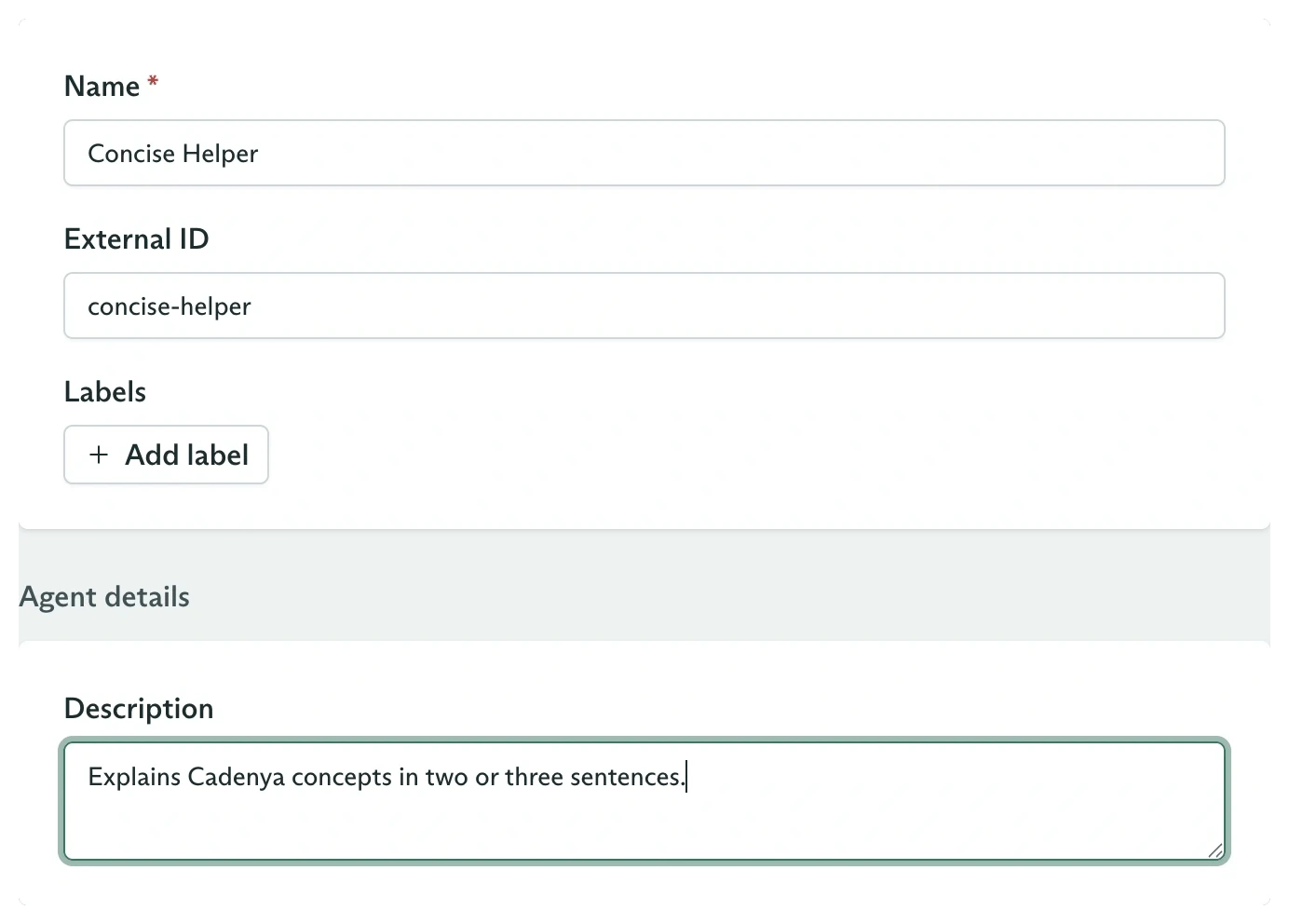 Leave the advanced sections at their defaults and click **Create agent**. The new agent opens in **Draft** state with **No variations configured**.
The create form does not configure a prompt, model, or publication state. Those belong to the next steps. A draft agent cannot accept objectives.
## Configure the first variation
On the **Variations** tab, click **New variation**. Enter:
| Field | Value | Explanation |
| ---------------------- | -------------------------------------------------------------------------------------------------- | -------------------------------------------------------------- |
| **Name** | `Default` | Identifies this candidate configuration |
| **Description** | `Answers with a short, direct explanation.` | Records what distinguishes this variation |
| **System prompt** | `Explain the requested Cadenya concept accurately in two or three sentences. Do not use headings.` | Defines the behavior used by every objective on this variation |
| **Model** | Any enabled model | Selects the model that executes the prompt |
| **Temperature** | `0.2` | Keeps answers relatively consistent |
| **Max tool calls** | `0` | Means unlimited, though this variation has no tool assignments |
| **Max sub-objectives** | `0` | Means unlimited, though this variation has no sub-agents |
Leave the advanced sections at their defaults and click **Create agent**. The new agent opens in **Draft** state with **No variations configured**.
The create form does not configure a prompt, model, or publication state. Those belong to the next steps. A draft agent cannot accept objectives.
## Configure the first variation
On the **Variations** tab, click **New variation**. Enter:
| Field | Value | Explanation |
| ---------------------- | -------------------------------------------------------------------------------------------------- | -------------------------------------------------------------- |
| **Name** | `Default` | Identifies this candidate configuration |
| **Description** | `Answers with a short, direct explanation.` | Records what distinguishes this variation |
| **System prompt** | `Explain the requested Cadenya concept accurately in two or three sentences. Do not use headings.` | Defines the behavior used by every objective on this variation |
| **Model** | Any enabled model | Selects the model that executes the prompt |
| **Temperature** | `0.2` | Keeps answers relatively consistent |
| **Max tool calls** | `0` | Means unlimited, though this variation has no tool assignments |
| **Max sub-objectives** | `0` | Means unlimited, though this variation has no sub-agents |
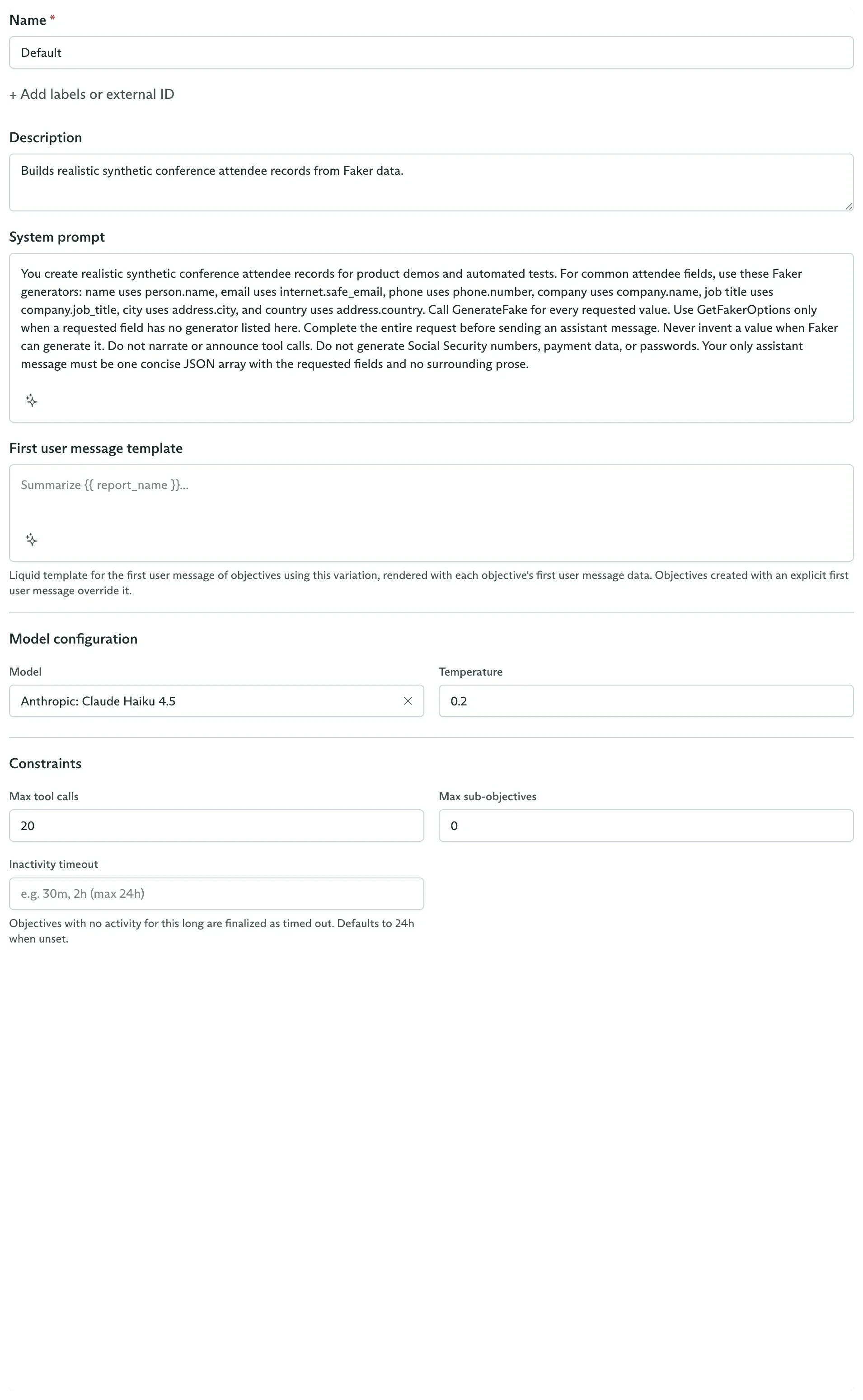 Click **Create variation**. The variation appears in the left side of the Variations pane. Its details and assignments appear on the right.
## Publish the agent
In the **Details** card, open the **Draft** status menu and select **Publish**.
Click **Create variation**. The variation appears in the left side of the Variations pane. Its details and assignments appear on the right.
## Publish the agent
In the **Details** card, open the **Draft** status menu and select **Publish**.
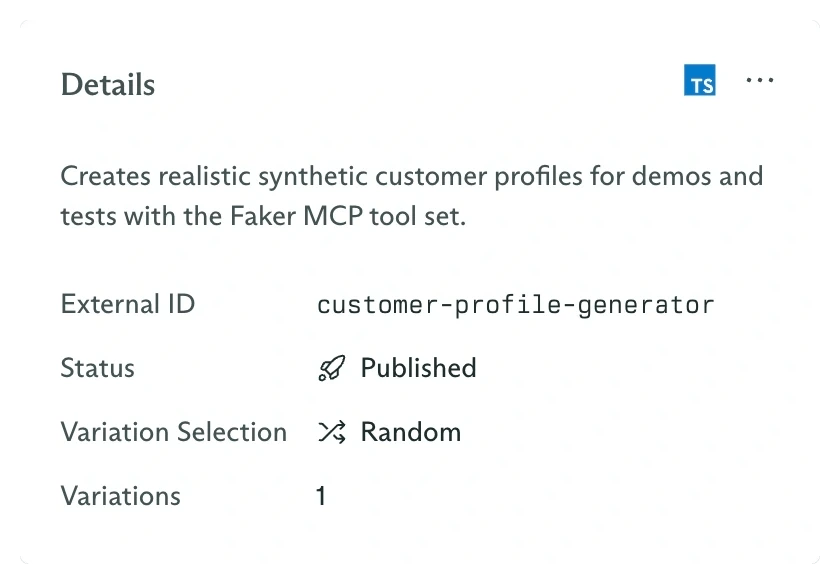 Publishing makes the agent available to objectives. It does not freeze the configuration. You can set it back to draft before making a controlled change.
## Send an objective
Export your credentials:
```bash theme={null}
export CADENYA_API_KEY='your-api-key'
export CADENYA_WORKSPACE_ID='workspace_your-workspace-id'
```
Use the external ID so application code does not need the generated agent ID.
```typescript TypeScript theme={null}
import Cadenya from '@cadenya/cadenya';
const client = new Cadenya({
apiKey: process.env['CADENYA_API_KEY'],
});
const objective = await client.objectives.create({
workspaceId: process.env['CADENYA_WORKSPACE_ID'],
agentId: 'external_id:concise-helper',
systemPromptData: {},
firstUserMessage: 'What is an objective in Cadenya?',
});
console.log(objective.metadata.id);
```
```bash cURL theme={null}
curl "https://api.cadenya.com/v1/workspaces/${CADENYA_WORKSPACE_ID}/objectives" \
-H "Authorization: Bearer ${CADENYA_API_KEY}" \
-H "Content-Type: application/json" \
-d '{
"agentId": "external_id:concise-helper",
"systemPromptData": {},
"firstUserMessage": "What is an objective in Cadenya?"
}'
```
The create response is a snapshot of the selected agent and variation. Open **Objectives** and select its ID to follow the timeline. Because this agent has no structured output definition, it stops in **Waiting** after its assistant message and can accept another turn.
## What each resource owns
| Resource | Configuration in this guide |
| --------- | ------------------------------------------------------------------------------------ |
| Agent | Name, external ID, description, lifecycle state, and variation selection mode |
| Variation | Prompt, model, temperature, constraints, discovery, compaction, and assignments |
| Objective | One execution, its input data and messages, and a snapshot of the selected variation |
Add another prompt or model and control how Cadenya selects between them.
Attach a tool, a complete tool set, a sub-agent, or memory.
Score completed objectives and influence future variation samples.
Create the same lifecycle from application code.
Publishing makes the agent available to objectives. It does not freeze the configuration. You can set it back to draft before making a controlled change.
## Send an objective
Export your credentials:
```bash theme={null}
export CADENYA_API_KEY='your-api-key'
export CADENYA_WORKSPACE_ID='workspace_your-workspace-id'
```
Use the external ID so application code does not need the generated agent ID.
```typescript TypeScript theme={null}
import Cadenya from '@cadenya/cadenya';
const client = new Cadenya({
apiKey: process.env['CADENYA_API_KEY'],
});
const objective = await client.objectives.create({
workspaceId: process.env['CADENYA_WORKSPACE_ID'],
agentId: 'external_id:concise-helper',
systemPromptData: {},
firstUserMessage: 'What is an objective in Cadenya?',
});
console.log(objective.metadata.id);
```
```bash cURL theme={null}
curl "https://api.cadenya.com/v1/workspaces/${CADENYA_WORKSPACE_ID}/objectives" \
-H "Authorization: Bearer ${CADENYA_API_KEY}" \
-H "Content-Type: application/json" \
-d '{
"agentId": "external_id:concise-helper",
"systemPromptData": {},
"firstUserMessage": "What is an objective in Cadenya?"
}'
```
The create response is a snapshot of the selected agent and variation. Open **Objectives** and select its ID to follow the timeline. Because this agent has no structured output definition, it stops in **Waiting** after its assistant message and can accept another turn.
## What each resource owns
| Resource | Configuration in this guide |
| --------- | ------------------------------------------------------------------------------------ |
| Agent | Name, external ID, description, lifecycle state, and variation selection mode |
| Variation | Prompt, model, temperature, constraints, discovery, compaction, and assignments |
| Objective | One execution, its input data and messages, and a snapshot of the selected variation |
Add another prompt or model and control how Cadenya selects between them.
Attach a tool, a complete tool set, a sub-agent, or memory.
Score completed objectives and influence future variation samples.
Create the same lifecycle from application code.