> ## Documentation Index
> Fetch the complete documentation index at: https://cadenya.com/docs/llms.txt
> Use this file to discover all available pages before exploring further.
# Email updates from an objective
> A handler that turns objective events into email. When a run finishes, send the result; when it fails, send an alert, to the right person.
Cadenya POSTs a webhook for everything an objective does: the agent's messages, its tool calls, the final result. You do not need a live UI to put those to work. The practical move is a notification: email someone when their objective finishes, and alert the team when one fails.
This guide builds a webhook handler that does exactly that, in TypeScript and Go. The same shape drives Slack, SMS, or a ticket, so once you have email working you can point it anywhere.
## What you need
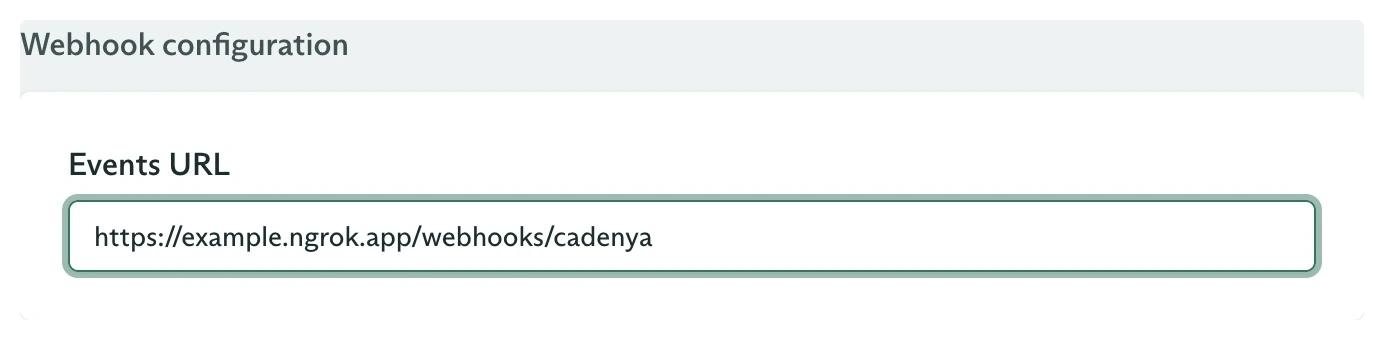
* An agent with its **webhook events URL** pointed at the server you build here. See [Approving a tool](/docs/guides/callbacks/approving-a-tool) for wiring the URL and a tunnel.
* Your webhook signing secret in `CADENYA_WEBHOOK_KEY` and your API key in `CADENYA_API_KEY`.
* An SMTP account to send mail. This guide uses [Nodemailer](https://nodemailer.com) in TypeScript and the standard `net/smtp` package in Go.
* Objectives tagged with the address to notify. Set it in `labels` when you start the objective, and every webhook for that run carries it.
 ```bash theme={null}
curl "https://api.cadenya.com/v1/workspaces/${CADENYA_WORKSPACE_ID}/objectives" \
-H "Authorization: Bearer $CADENYA_API_KEY" \
-H "Content-Type: application/json" \
-d '{
"agentId": "external_id:support",
"metadata": { "externalId": "ticket-4821", "labels": { "notify_email": "agent@acme.com" } },
"systemPromptData": {},
"firstUserMessage": "Resolve this refund request."
}'
```
See [Create an objective](/docs/api-reference/objectiveservice/create-a-new-objective) for the full request.
## Step 1: Receive and verify the webhook
Read the raw body, hand it to `unwrap`, which checks the [Standard Webhooks](https://www.standardwebhooks.com/) signature against `CADENYA_WEBHOOK_KEY` and parses the payload. Acknowledge with a `200` before you send any mail, so a slow SMTP call never trips a retry.
```ts TypeScript theme={null}
import express from 'express';
import nodemailer from 'nodemailer';
import Cadenya, { type Cadenya as CadenyaTypes } from '@cadenya/cadenya';
const cadenya = new Cadenya(); // reads CADENYA_API_KEY and CADENYA_WEBHOOK_KEY
const mailer = nodemailer.createTransport({
host: process.env.SMTP_HOST,
port: 587,
auth: { user: process.env.SMTP_USER, pass: process.env.SMTP_PASS },
});
const app = express();
app.post('/webhooks/cadenya', express.raw({ type: 'application/json' }), (req, res) => {
let event;
try {
event = cadenya.webhooks.unwrap(req.body.toString(), { headers: req.headers });
} catch {
res.status(401).send('bad signature');
return;
}
res.status(200).end(); // ack first
notify(event).catch((err) => console.error({ err }, 'email failed'));
});
app.listen(3000);
```
```go Go theme={null}
package main
import (
"io"
"net/http"
"net/smtp"
"os"
"go.cadenya.com/cadenya-go"
"go.cadenya.com/cadenya-go/option"
)
var client = cadenya.NewClient(
option.WithAPIKey(os.Getenv("CADENYA_API_KEY")),
option.WithWebhookKey(os.Getenv("CADENYA_WEBHOOK_KEY")),
)
func webhookHandler(w http.ResponseWriter, r *http.Request) {
body, _ := io.ReadAll(r.Body)
event, err := client.Webhooks.Unwrap(body, r.Header)
if err != nil {
http.Error(w, "bad signature", http.StatusUnauthorized)
return
}
w.WriteHeader(http.StatusOK) // ack first
go notify(event)
}
func main() {
http.HandleFunc("/webhooks/cadenya", webhookHandler)
http.ListenAndServe(":3000", nil)
}
```
## Step 2: Email on finish and failure
Cadenya sends a webhook for [every objective event](/docs/guides/webhooks), but you would not email each assistant message; that is noise. The two worth a person's inbox are `finalized` (the run is done, here is the result) and `error` (something broke). Read the recipient off the objective's labels, then branch.
```ts TypeScript theme={null}
async function notify(event: CadenyaTypes.UnwrapWebhookEvent) {
const objective = event.data.objective;
const to = objective.labels?.notify_email;
if (!to) return; // this run did not ask for email
const ref = objective.externalId ?? objective.id;
const data = event.data.objectiveEvent.data;
switch (data.type) {
case 'finalized': {
const output = data.finalized.output;
await send(
to,
`Objective ${ref} finished`,
output
? JSON.stringify(output, null, 2)
: 'The agent finished with no structured output.',
);
break;
}
case 'error':
await send(
to,
`Objective ${ref} failed`,
data.error.message ?? 'Unknown error',
);
break;
}
}
async function send(to: string, subject: string, body: string) {
await mailer.sendMail({ from: 'agents@acme.com', to, subject, text: body });
}
```
```go Go theme={null}
import (
"encoding/json"
"fmt"
"go.cadenya.com/cadenya-go"
)
func notify(event *cadenya.UnwrapWebhookEvent) {
objective := event.Data.Objective
to := objective.Labels["notify_email"]
if to == "" {
return // this run did not ask for email
}
ref := objective.ExternalID
if ref == "" {
ref = objective.ID
}
e := event.Data.ObjectiveEvent.Data
switch event.Type {
case "objective_event.finalized":
body := "The agent finished with no structured output."
if e.Finalized.Output != nil {
out, _ := json.MarshalIndent(e.Finalized.Output, "", " ")
body = string(out)
}
send(to, fmt.Sprintf("Objective %s finished", ref), body)
case "objective_event.error":
send(to, fmt.Sprintf("Objective %s failed", ref), e.Error.Message)
}
}
func send(to, subject, body string) {
auth := smtp.PlainAuth("", os.Getenv("SMTP_USER"), os.Getenv("SMTP_PASS"), os.Getenv("SMTP_HOST"))
msg := []byte("To: " + to + "\r\nSubject: " + subject + "\r\n\r\n" + body)
if err := smtp.SendMail(os.Getenv("SMTP_HOST")+":587", auth, "agents@acme.com", []string{to}, msg); err != nil {
fmt.Println("email failed:", err)
}
}
```
The `finalized` event carries the agent's structured output at `finalized.output`, so the completion email includes the result with no extra fetch. See [Get structured output](/docs/guides/get-structured-output) for shaping it.
## Make it reliable
Return `200` first, then send mail. Cadenya retries a delivery that does not ack, and an SMTP round trip is slow enough to cause repeats if you block on it.
A retry resends a delivery with the same `webhook-id` header. Track the IDs you have handled and skip repeats, so one finished objective does not send two emails.
The branch is the whole pattern. Swap `send` for a Slack post, an SMS, or a ticket create, and key the destination off labels the same way. For a live in-app feed, push each event to the browser over server-sent events instead of email.
## What you built
A handler that verifies a Cadenya webhook, finds who to tell from the objective's labels, and emails them the result when a run finishes or an alert when it fails. No polling, no dashboard watching, the news comes to the right inbox.
## Going further
Add a human in the loop: approve or deny a tool call from the same handler.
The schema behind the `finalized` event's output object.
```bash theme={null}
curl "https://api.cadenya.com/v1/workspaces/${CADENYA_WORKSPACE_ID}/objectives" \
-H "Authorization: Bearer $CADENYA_API_KEY" \
-H "Content-Type: application/json" \
-d '{
"agentId": "external_id:support",
"metadata": { "externalId": "ticket-4821", "labels": { "notify_email": "agent@acme.com" } },
"systemPromptData": {},
"firstUserMessage": "Resolve this refund request."
}'
```
See [Create an objective](/docs/api-reference/objectiveservice/create-a-new-objective) for the full request.
## Step 1: Receive and verify the webhook
Read the raw body, hand it to `unwrap`, which checks the [Standard Webhooks](https://www.standardwebhooks.com/) signature against `CADENYA_WEBHOOK_KEY` and parses the payload. Acknowledge with a `200` before you send any mail, so a slow SMTP call never trips a retry.
```ts TypeScript theme={null}
import express from 'express';
import nodemailer from 'nodemailer';
import Cadenya, { type Cadenya as CadenyaTypes } from '@cadenya/cadenya';
const cadenya = new Cadenya(); // reads CADENYA_API_KEY and CADENYA_WEBHOOK_KEY
const mailer = nodemailer.createTransport({
host: process.env.SMTP_HOST,
port: 587,
auth: { user: process.env.SMTP_USER, pass: process.env.SMTP_PASS },
});
const app = express();
app.post('/webhooks/cadenya', express.raw({ type: 'application/json' }), (req, res) => {
let event;
try {
event = cadenya.webhooks.unwrap(req.body.toString(), { headers: req.headers });
} catch {
res.status(401).send('bad signature');
return;
}
res.status(200).end(); // ack first
notify(event).catch((err) => console.error({ err }, 'email failed'));
});
app.listen(3000);
```
```go Go theme={null}
package main
import (
"io"
"net/http"
"net/smtp"
"os"
"go.cadenya.com/cadenya-go"
"go.cadenya.com/cadenya-go/option"
)
var client = cadenya.NewClient(
option.WithAPIKey(os.Getenv("CADENYA_API_KEY")),
option.WithWebhookKey(os.Getenv("CADENYA_WEBHOOK_KEY")),
)
func webhookHandler(w http.ResponseWriter, r *http.Request) {
body, _ := io.ReadAll(r.Body)
event, err := client.Webhooks.Unwrap(body, r.Header)
if err != nil {
http.Error(w, "bad signature", http.StatusUnauthorized)
return
}
w.WriteHeader(http.StatusOK) // ack first
go notify(event)
}
func main() {
http.HandleFunc("/webhooks/cadenya", webhookHandler)
http.ListenAndServe(":3000", nil)
}
```
## Step 2: Email on finish and failure
Cadenya sends a webhook for [every objective event](/docs/guides/webhooks), but you would not email each assistant message; that is noise. The two worth a person's inbox are `finalized` (the run is done, here is the result) and `error` (something broke). Read the recipient off the objective's labels, then branch.
```ts TypeScript theme={null}
async function notify(event: CadenyaTypes.UnwrapWebhookEvent) {
const objective = event.data.objective;
const to = objective.labels?.notify_email;
if (!to) return; // this run did not ask for email
const ref = objective.externalId ?? objective.id;
const data = event.data.objectiveEvent.data;
switch (data.type) {
case 'finalized': {
const output = data.finalized.output;
await send(
to,
`Objective ${ref} finished`,
output
? JSON.stringify(output, null, 2)
: 'The agent finished with no structured output.',
);
break;
}
case 'error':
await send(
to,
`Objective ${ref} failed`,
data.error.message ?? 'Unknown error',
);
break;
}
}
async function send(to: string, subject: string, body: string) {
await mailer.sendMail({ from: 'agents@acme.com', to, subject, text: body });
}
```
```go Go theme={null}
import (
"encoding/json"
"fmt"
"go.cadenya.com/cadenya-go"
)
func notify(event *cadenya.UnwrapWebhookEvent) {
objective := event.Data.Objective
to := objective.Labels["notify_email"]
if to == "" {
return // this run did not ask for email
}
ref := objective.ExternalID
if ref == "" {
ref = objective.ID
}
e := event.Data.ObjectiveEvent.Data
switch event.Type {
case "objective_event.finalized":
body := "The agent finished with no structured output."
if e.Finalized.Output != nil {
out, _ := json.MarshalIndent(e.Finalized.Output, "", " ")
body = string(out)
}
send(to, fmt.Sprintf("Objective %s finished", ref), body)
case "objective_event.error":
send(to, fmt.Sprintf("Objective %s failed", ref), e.Error.Message)
}
}
func send(to, subject, body string) {
auth := smtp.PlainAuth("", os.Getenv("SMTP_USER"), os.Getenv("SMTP_PASS"), os.Getenv("SMTP_HOST"))
msg := []byte("To: " + to + "\r\nSubject: " + subject + "\r\n\r\n" + body)
if err := smtp.SendMail(os.Getenv("SMTP_HOST")+":587", auth, "agents@acme.com", []string{to}, msg); err != nil {
fmt.Println("email failed:", err)
}
}
```
The `finalized` event carries the agent's structured output at `finalized.output`, so the completion email includes the result with no extra fetch. See [Get structured output](/docs/guides/get-structured-output) for shaping it.
## Make it reliable
Return `200` first, then send mail. Cadenya retries a delivery that does not ack, and an SMTP round trip is slow enough to cause repeats if you block on it.
A retry resends a delivery with the same `webhook-id` header. Track the IDs you have handled and skip repeats, so one finished objective does not send two emails.
The branch is the whole pattern. Swap `send` for a Slack post, an SMS, or a ticket create, and key the destination off labels the same way. For a live in-app feed, push each event to the browser over server-sent events instead of email.
## What you built
A handler that verifies a Cadenya webhook, finds who to tell from the objective's labels, and emails them the result when a run finishes or an alert when it fails. No polling, no dashboard watching, the news comes to the right inbox.
## Going further
Add a human in the loop: approve or deny a tool call from the same handler.
The schema behind the `finalized` event's output object.