> ## Documentation Index
> Fetch the complete documentation index at: https://cadenya.com/docs/llms.txt
> Use this file to discover all available pages before exploring further.
# API design
A rule of thumb: Anything you can do on [app.cadenya.com](https://app.cadenya.com) means there's (most likely) an API for it.
## Authentication
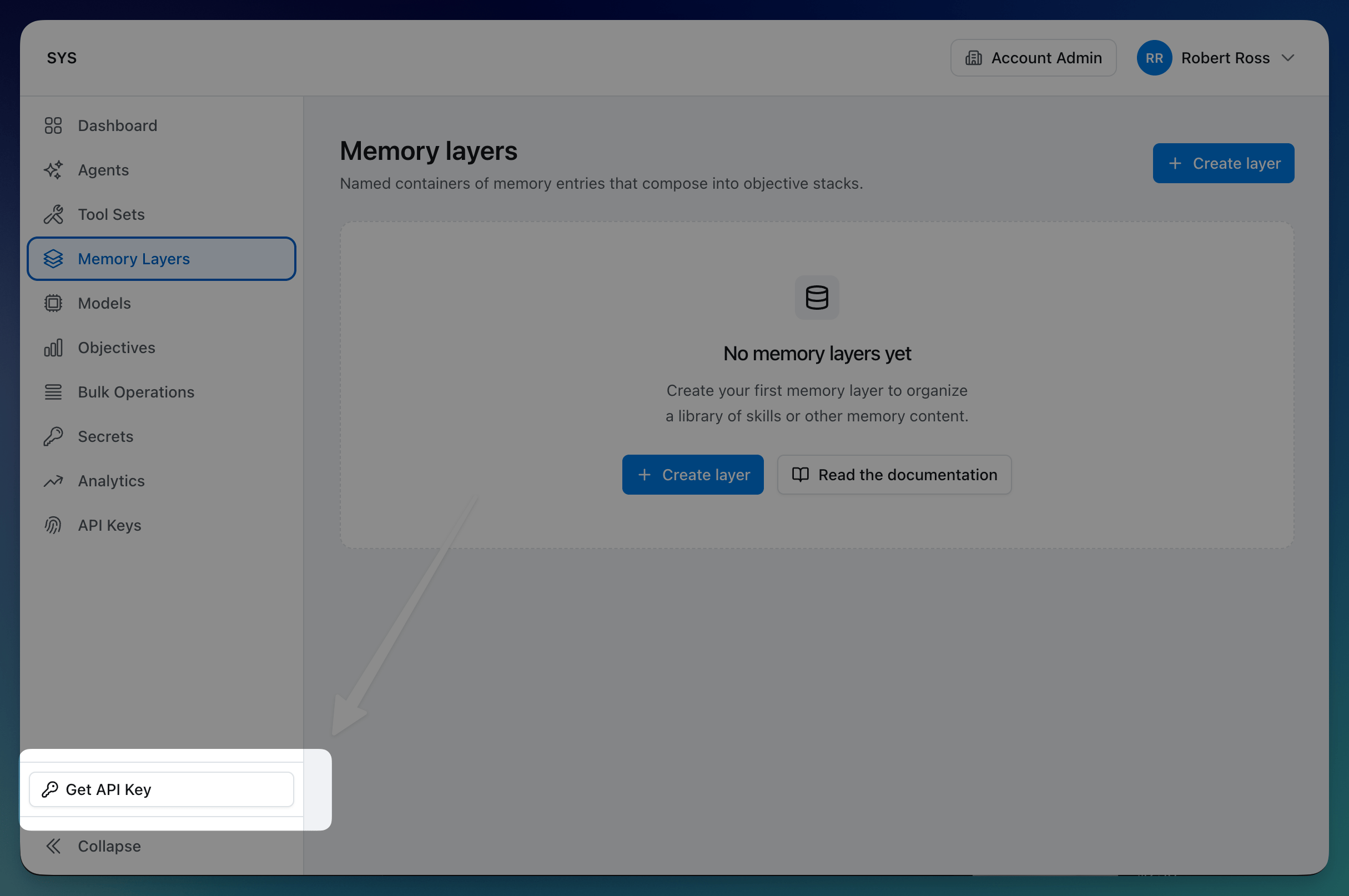 Every Cadenya API request is authenticated with an HTTP Bearer token in JWT form:
```http theme={null}
GET /v1/agents
Authorization: Bearer eyJhbGciOiJIUzI1NiI...
```
The token is issued when you create an **API key**. Every key belongs to one workspace and is managed under `/v1/workspaces/{workspaceId}/api_keys`. The one exception is the **global key**: a system-managed key created with your account that works in every workspace, managed at `/v1/account/global_api_key`. Workspace-scoped operations require a `workspace_id` in the request path. The example paths in this guide drop the `/v1/workspaces/{workspaceId}/` prefix for brevity; a real call includes it, as the [guides](/docs/guides/tool-sets) show.
A few practical notes:
* Every key carries a list of [scopes](/docs/guides/api-key-scopes) that decide which endpoints it can call. Scopes are deny-by-default: a key with none can only identify itself.
* The raw token value is only returned at creation time and again on rotation. Cadenya never echoes it back on later reads. If you misplace it, rotate the key.
* Rotate in place with `POST /v1/workspaces/{workspaceId}/api_keys/{id}:rotate` (or `POST /v1/account/global_api_key:rotate` for the global key). The previous token stops working the moment you rotate, so plan the cutover.
* Disable a key with `:disable` to shut it off without losing it; `:enable` brings it back. A disabled key's token fails authentication on every endpoint.
* API keys (e.g. `apikey_01HXK...`) carry the same labels, external ids, and metadata as anything else you create.
## ID choice
Every Cadenya identifier is a prefixed [ULID](https://github.com/ulid/spec). For example: `agent_01HXK7M...`, `toolset_01HXK8P...`. Cadenya uses this format on purpose:
* **The prefix tells you the type at a glance.** `agent_`, `toolset_`, `tool_`, `obj_`, `memlyr_`. You never have to squint at an id wondering what it points to.
* **ULIDs are lexicographically sortable by creation time.** Lists come back in a stable, time-ordered way, and inserts stay sequential. Friendlier on database indexes than random UUIDs.
* **No hyphens.** Double-click an id in your terminal or editor and the whole thing highlights as one token, ready to copy.
Here's the trick: you don't have to keep Cadenya ids around if you don't
want to. Every resource accepts an `externalId` you provide at creation
time, and Cadenya resolves it anywhere a Cadenya id is accepted. More on the syntax
in [External IDs are first-class in
paths](#external-ids-are-first-class-in-paths).
## Common definitions
Cadenya has a few common types you see throughout its API. Most of the time, you interact with:
| Type | Description |
| :------------------- | :------------------------------------------------------------------------------------------------------------------------------------------------------------------------------------------------------------------------------------------------- |
| `Workspace Resource` | A persistent, named, workspace-scoped resource (agents, tool sets, tools, memory layers, and friends) that carries a `ResourceMetadata` block with `id`, `accountId`, `workspaceId`, `name`, `externalId`, `labels`, `profileId`, and `createdAt`. |
| `Operation Metadata` | Metadata for ephemeral activities like objectives, executions, and runs; the same multi-tenant fields as `ResourceMetadata` minus `name`, since operations are referenced by id rather than a human label. |
| `Spec` | Your intent for a resource or operation (e.g. `AgentSpec`, `ToolSetSpec`, `ObjectiveSpec`); this is what you send on create and update, with server-managed and read-only fields kept out. |
| `Info` | Read-only, server-computed details (e.g. `AgentInfo.variation_count`, denormalized creator profiles, derived counts) returned on reads but never accepted on writes, handy for display without an extra round-trip. |
## Anatomy of a resource
Every persistent resource hangs three things off a single object: `metadata`, `spec`, and `info`.
```json theme={null}
{
"metadata": {
"id": "agent_01HXK7M...",
"accountId": "account_01...",
"workspaceId": "workspace_01...",
"name": "Customer Support Agent",
"externalId": "support_v2",
"labels": { "team": "platform", "env": "production" },
"profileId": "profile_01...",
"createdAt": "2025-08-12T17:00:00Z"
},
"spec": {
"description": "Concise support agent",
"variationSelectionMode": "VARIATION_SELECTION_MODE_WEIGHTED",
"webhookEventsUrl": "https://example.com/webhook"
},
"state": "STATE_PUBLISHED",
"info": {
"variationCount": 3,
"createdBy": { "...": "Profile reference" }
}
}
```
You send `metadata` and `spec` on create and update. The user-controlled metadata fields are `name`, `externalId`, and `labels`; everything else inside `metadata` (`id`, `accountId`, `workspaceId`, `profileId`, `createdAt`) is server-populated and ignored if you set it. The `info` block is server-only and never accepted on writes. The split keeps your intent (`spec`) cleanly separated from how you organize the resource (`metadata`) and from anything Cadenya derived for you (`info`).
## External IDs are first-class in paths
Any resource (and some operation types, like objectives) you create in Cadenya carries a `metadata.externalId` field you can set to whatever value makes sense in your own system: a row id, a workflow key, a slug. Set it once at creation time and you can refer to that resource by your id forever after.
```bash theme={null}
curl -X POST https://api.cadenya.com/v1/tool_sets \
-H "Authorization: Bearer $CADENYA_TOKEN" \
-H "Content-Type: application/json" \
-d '{
"metadata": {
"name": "Billing Tools",
"externalId": "billing-tools-v2"
},
"spec": { /* ... */ }
}'
```
Every endpoint that takes a resource id in its path then accepts either the canonical Cadenya id or your external id, via a syntactic prefix:
```http theme={null}
GET /v1/tool_sets/toolset_01HXK8P... # canonical id
GET /v1/tool_sets/external_id:billing-tools-v2 # your id
```
The colon is the trick. Canonical ULIDs never contain one, so there's no ambiguity, and a missing match returns 404. Nested paths apply the same rule independently, so you can mix and match:
```http theme={null}
GET /v1/agents/external_id:support_v2/variations/external_id:concise
```
External IDs scope to their parent, not the whole workspace. Top-level workspace resources (agents, tool sets, memory layers) share one workspace-wide namespace, so every `externalId` has to be unique inside the workspace. Subresources scope to their parent: an agent variation's `externalId` only has to be unique within its agent, which means two different agents can both have a variation called `concise` without colliding.
Net effect: you can wire Cadenya into your existing systems without ever holding onto Cadenya IDs if you don't want to. For a hands-on walkthrough, see [Use your own IDs](/docs/guides/use-your-own-ids).
## Multi-tenancy: account, workspace, operation
There are three scopes you see in the API:
| Scope | Carries `accountId` | Carries `workspaceId` | Examples |
| :-------- | :------------------ | :-------------------- | :--------------------------- |
| Account | Yes | No | Profiles, API keys |
| Workspace | Yes | Yes | Agents, tools, memory layers |
| Operation | Yes | Yes | Objectives, executions, runs |
Profiles (your team members and API keys) live at the account level so the same human can move between workspaces without being re-invited. Almost everything else is workspace-scoped, which gives you a clean boundary for staging vs. production, customer A vs. customer B, or two squads working out of one account.
## List requests
Every list endpoint takes the same shape:
```http theme={null}
GET /v1/agents?limit=50&prefix=support&query=billing&sortOrder=desc&includeInfo=true
```
| Field | What it does |
| :------------ | :---------------------------------------------------- |
| `limit` | Cap on items returned, 1 to 100. |
| `cursor` | Opaque pagination token from the previous page. |
| `prefix` | Name-prefix filter on the resource. |
| `query` | Free-text search across `name` and `description`. |
| `sortOrder` | `asc` or `desc` by creation time. |
| `includeInfo` | When `true`, populates the `info` block on every row. |
A response carries the items, plus a `pagination` block **while more pages remain**:
```json theme={null}
{
"items": [
/* ... */
],
"pagination": { "nextCursor": "eyJrIjoi..." }
}
```
The block holds a single field, `nextCursor`, and Cadenya omits the whole block on the last page, so its absence is the end-of-list signal. There is no total-count field; cursor pagination does not carry one. Cursors are opaque, so don't decode them; the format can change. To page, follow `nextCursor` until the `pagination` block stops coming back.
### About `includeInfo`
This one is worth pausing on. Resources have an `info` block (counts, denormalized creator profiles, derived metrics) that costs more to compute than the row itself. Most APIs pick one of two unhappy defaults:
* **Always include it.** Lists get slow, especially under load.
* **Never include it.** Clients fan out into N+1 follow-up requests to render a list with counts.
Cadenya lets you pick per request. Rendering a dashboard that wants those counts visible? Set `includeInfo=true` and Cadenya does the work in one round trip. Piping a list into a sync job that only cares about ids and timestamps? Leave it off and your rate-limit budget thanks you.
## Updates use field masks
Updates are `PATCH` and behave like a field mask: only the paths in `updateMask` change.
```http theme={null}
PATCH /v1/agents/agent_01HXK...
{
"spec": { "description": "New description" },
"updateMask": "spec.description"
}
```
Only the paths in `updateMask` are applied. Anything else in the body is ignored. This keeps two clients writing to different fields from clobbering each other, and it removes a class of "I forgot to send a field, did it get cleared?" bugs.
Don't want to bother with masks? Fetch the resource, mutate the values you
care about on the returned `spec` or `metadata` object, and send the whole
thing back without an `updateMask`. The server merges what you send, so any
field with a non-empty value is applied, which covers most read-modify-write
cycles.
A mask-less update **merges**, it does not fully replace, and it drops proto
zero values. Sending `"description": ""`, `false`, or `0` without an
`updateMask` is a no-op: the old value survives. To clear a field to its zero
value, name its path in `updateMask` (`"updateMask": "spec.description"`).
This is the one trap in mask-less updates.
## Subresources nest
Anything that conceptually lives under something else is a subresource with a nested path:
```http theme={null}
GET /v1/agents/{agent_id}/variations/{variation_id}
GET /v1/tool_sets/{tool_set_id}/tools/{tool_id}
GET /v1/memory_layers/{layer_id}/entries/{entry_id}
GET /v1/objectives/{objective_id}/feedback
```
Both ids accept the canonical or `external_id:` form independently. Join records (variation assignments, memory-layer assignments) get their own row id since they need to be addressable for removal, but no `externalId` since you don't usually create them by hand.
## Lightweight references
Two types show up when something needs to point at another resource without dragging the whole thing in:
* `ResourceReference` is `{type, id, name}`. Used when the type isn't obvious from context: events, audit logs, and any place a tool could be a regular tool, an agent-as-tool, or a Cadenya-provided tool.
* `BareMetadata` is `{id, name?}`. Used when the type is implied: the tool inside a `CallableTool`, the agent inside an objective.
Both are server-populated. If you find yourself constructing one by hand, you're probably reaching for the wrong thing.
## Labels for everything you want to filter
`ResourceMetadata` and `OperationMetadata` both carry a `labels` map of string-to-string pairs:
```json theme={null}
"labels": {
"environment": "production",
"team": "platform",
"feature": "billing-v2"
}
```
Cadenya doesn't constrain what you put there. List endpoints accept label filters, plus a `prefix` (matches names starting with…) and a `query` (free-text search across name and description) so you can find things without having tagged them up front.
## Snapshot isolation
When you create an objective, the agent, variation, and tools are snapshotted at that instant. Updating the underlying tool the next day doesn't change the in-flight objective's behavior. Webhook payloads carry the agent, variation, and objective metadata alongside the event, so consumers don't need to fan out and refetch every referenced thing to render a notification.
The mental model is: there's "what does this resource look like right now" (the live record) and "what did this objective execute against" (the snapshot). Both are queryable. They're not always equal.
## Webhooks: Standard Webhooks, with delivery records
Agent webhook endpoints follow the [Standard Webhooks](https://www.standardwebhooks.com/) spec, so you can verify payloads with any compliant library and unwrap them into a discriminated union (the [TypeScript and Go SDKs](/docs/guides/webhooks) do this for you).
Each delivery is also a tracked resource. A `WebhookDelivery` records:
* `webhookId` for idempotent dedup of retries.
* HTTP status, latency, and response headers from your endpoint.
* A status of `PENDING`, `COMPLETED`, `FAILED`, or `DISABLED` (the last meaning Cadenya gave up after enough failures).
So if a webhook went missing on your end, you don't need to log every delivery yourself to debug. You can ask Cadenya.
## Big payloads ride on uploads
Anything large (memory entries over \~1 MB, file attachments) goes through a presigned upload:
1. `POST /v1/uploads` to get a presigned URL.
2. `PUT` the bytes to that URL directly.
3. Reference the resulting `uploadId` when you create the resource that needs the content.
This keeps API requests and responses small enough to stay readable in a debugger and offloads transfer cost to object storage. Uploads expire if not consumed.
Every Cadenya API request is authenticated with an HTTP Bearer token in JWT form:
```http theme={null}
GET /v1/agents
Authorization: Bearer eyJhbGciOiJIUzI1NiI...
```
The token is issued when you create an **API key**. Every key belongs to one workspace and is managed under `/v1/workspaces/{workspaceId}/api_keys`. The one exception is the **global key**: a system-managed key created with your account that works in every workspace, managed at `/v1/account/global_api_key`. Workspace-scoped operations require a `workspace_id` in the request path. The example paths in this guide drop the `/v1/workspaces/{workspaceId}/` prefix for brevity; a real call includes it, as the [guides](/docs/guides/tool-sets) show.
A few practical notes:
* Every key carries a list of [scopes](/docs/guides/api-key-scopes) that decide which endpoints it can call. Scopes are deny-by-default: a key with none can only identify itself.
* The raw token value is only returned at creation time and again on rotation. Cadenya never echoes it back on later reads. If you misplace it, rotate the key.
* Rotate in place with `POST /v1/workspaces/{workspaceId}/api_keys/{id}:rotate` (or `POST /v1/account/global_api_key:rotate` for the global key). The previous token stops working the moment you rotate, so plan the cutover.
* Disable a key with `:disable` to shut it off without losing it; `:enable` brings it back. A disabled key's token fails authentication on every endpoint.
* API keys (e.g. `apikey_01HXK...`) carry the same labels, external ids, and metadata as anything else you create.
## ID choice
Every Cadenya identifier is a prefixed [ULID](https://github.com/ulid/spec). For example: `agent_01HXK7M...`, `toolset_01HXK8P...`. Cadenya uses this format on purpose:
* **The prefix tells you the type at a glance.** `agent_`, `toolset_`, `tool_`, `obj_`, `memlyr_`. You never have to squint at an id wondering what it points to.
* **ULIDs are lexicographically sortable by creation time.** Lists come back in a stable, time-ordered way, and inserts stay sequential. Friendlier on database indexes than random UUIDs.
* **No hyphens.** Double-click an id in your terminal or editor and the whole thing highlights as one token, ready to copy.
Here's the trick: you don't have to keep Cadenya ids around if you don't
want to. Every resource accepts an `externalId` you provide at creation
time, and Cadenya resolves it anywhere a Cadenya id is accepted. More on the syntax
in [External IDs are first-class in
paths](#external-ids-are-first-class-in-paths).
## Common definitions
Cadenya has a few common types you see throughout its API. Most of the time, you interact with:
| Type | Description |
| :------------------- | :------------------------------------------------------------------------------------------------------------------------------------------------------------------------------------------------------------------------------------------------- |
| `Workspace Resource` | A persistent, named, workspace-scoped resource (agents, tool sets, tools, memory layers, and friends) that carries a `ResourceMetadata` block with `id`, `accountId`, `workspaceId`, `name`, `externalId`, `labels`, `profileId`, and `createdAt`. |
| `Operation Metadata` | Metadata for ephemeral activities like objectives, executions, and runs; the same multi-tenant fields as `ResourceMetadata` minus `name`, since operations are referenced by id rather than a human label. |
| `Spec` | Your intent for a resource or operation (e.g. `AgentSpec`, `ToolSetSpec`, `ObjectiveSpec`); this is what you send on create and update, with server-managed and read-only fields kept out. |
| `Info` | Read-only, server-computed details (e.g. `AgentInfo.variation_count`, denormalized creator profiles, derived counts) returned on reads but never accepted on writes, handy for display without an extra round-trip. |
## Anatomy of a resource
Every persistent resource hangs three things off a single object: `metadata`, `spec`, and `info`.
```json theme={null}
{
"metadata": {
"id": "agent_01HXK7M...",
"accountId": "account_01...",
"workspaceId": "workspace_01...",
"name": "Customer Support Agent",
"externalId": "support_v2",
"labels": { "team": "platform", "env": "production" },
"profileId": "profile_01...",
"createdAt": "2025-08-12T17:00:00Z"
},
"spec": {
"description": "Concise support agent",
"variationSelectionMode": "VARIATION_SELECTION_MODE_WEIGHTED",
"webhookEventsUrl": "https://example.com/webhook"
},
"state": "STATE_PUBLISHED",
"info": {
"variationCount": 3,
"createdBy": { "...": "Profile reference" }
}
}
```
You send `metadata` and `spec` on create and update. The user-controlled metadata fields are `name`, `externalId`, and `labels`; everything else inside `metadata` (`id`, `accountId`, `workspaceId`, `profileId`, `createdAt`) is server-populated and ignored if you set it. The `info` block is server-only and never accepted on writes. The split keeps your intent (`spec`) cleanly separated from how you organize the resource (`metadata`) and from anything Cadenya derived for you (`info`).
## External IDs are first-class in paths
Any resource (and some operation types, like objectives) you create in Cadenya carries a `metadata.externalId` field you can set to whatever value makes sense in your own system: a row id, a workflow key, a slug. Set it once at creation time and you can refer to that resource by your id forever after.
```bash theme={null}
curl -X POST https://api.cadenya.com/v1/tool_sets \
-H "Authorization: Bearer $CADENYA_TOKEN" \
-H "Content-Type: application/json" \
-d '{
"metadata": {
"name": "Billing Tools",
"externalId": "billing-tools-v2"
},
"spec": { /* ... */ }
}'
```
Every endpoint that takes a resource id in its path then accepts either the canonical Cadenya id or your external id, via a syntactic prefix:
```http theme={null}
GET /v1/tool_sets/toolset_01HXK8P... # canonical id
GET /v1/tool_sets/external_id:billing-tools-v2 # your id
```
The colon is the trick. Canonical ULIDs never contain one, so there's no ambiguity, and a missing match returns 404. Nested paths apply the same rule independently, so you can mix and match:
```http theme={null}
GET /v1/agents/external_id:support_v2/variations/external_id:concise
```
External IDs scope to their parent, not the whole workspace. Top-level workspace resources (agents, tool sets, memory layers) share one workspace-wide namespace, so every `externalId` has to be unique inside the workspace. Subresources scope to their parent: an agent variation's `externalId` only has to be unique within its agent, which means two different agents can both have a variation called `concise` without colliding.
Net effect: you can wire Cadenya into your existing systems without ever holding onto Cadenya IDs if you don't want to. For a hands-on walkthrough, see [Use your own IDs](/docs/guides/use-your-own-ids).
## Multi-tenancy: account, workspace, operation
There are three scopes you see in the API:
| Scope | Carries `accountId` | Carries `workspaceId` | Examples |
| :-------- | :------------------ | :-------------------- | :--------------------------- |
| Account | Yes | No | Profiles, API keys |
| Workspace | Yes | Yes | Agents, tools, memory layers |
| Operation | Yes | Yes | Objectives, executions, runs |
Profiles (your team members and API keys) live at the account level so the same human can move between workspaces without being re-invited. Almost everything else is workspace-scoped, which gives you a clean boundary for staging vs. production, customer A vs. customer B, or two squads working out of one account.
## List requests
Every list endpoint takes the same shape:
```http theme={null}
GET /v1/agents?limit=50&prefix=support&query=billing&sortOrder=desc&includeInfo=true
```
| Field | What it does |
| :------------ | :---------------------------------------------------- |
| `limit` | Cap on items returned, 1 to 100. |
| `cursor` | Opaque pagination token from the previous page. |
| `prefix` | Name-prefix filter on the resource. |
| `query` | Free-text search across `name` and `description`. |
| `sortOrder` | `asc` or `desc` by creation time. |
| `includeInfo` | When `true`, populates the `info` block on every row. |
A response carries the items, plus a `pagination` block **while more pages remain**:
```json theme={null}
{
"items": [
/* ... */
],
"pagination": { "nextCursor": "eyJrIjoi..." }
}
```
The block holds a single field, `nextCursor`, and Cadenya omits the whole block on the last page, so its absence is the end-of-list signal. There is no total-count field; cursor pagination does not carry one. Cursors are opaque, so don't decode them; the format can change. To page, follow `nextCursor` until the `pagination` block stops coming back.
### About `includeInfo`
This one is worth pausing on. Resources have an `info` block (counts, denormalized creator profiles, derived metrics) that costs more to compute than the row itself. Most APIs pick one of two unhappy defaults:
* **Always include it.** Lists get slow, especially under load.
* **Never include it.** Clients fan out into N+1 follow-up requests to render a list with counts.
Cadenya lets you pick per request. Rendering a dashboard that wants those counts visible? Set `includeInfo=true` and Cadenya does the work in one round trip. Piping a list into a sync job that only cares about ids and timestamps? Leave it off and your rate-limit budget thanks you.
## Updates use field masks
Updates are `PATCH` and behave like a field mask: only the paths in `updateMask` change.
```http theme={null}
PATCH /v1/agents/agent_01HXK...
{
"spec": { "description": "New description" },
"updateMask": "spec.description"
}
```
Only the paths in `updateMask` are applied. Anything else in the body is ignored. This keeps two clients writing to different fields from clobbering each other, and it removes a class of "I forgot to send a field, did it get cleared?" bugs.
Don't want to bother with masks? Fetch the resource, mutate the values you
care about on the returned `spec` or `metadata` object, and send the whole
thing back without an `updateMask`. The server merges what you send, so any
field with a non-empty value is applied, which covers most read-modify-write
cycles.
A mask-less update **merges**, it does not fully replace, and it drops proto
zero values. Sending `"description": ""`, `false`, or `0` without an
`updateMask` is a no-op: the old value survives. To clear a field to its zero
value, name its path in `updateMask` (`"updateMask": "spec.description"`).
This is the one trap in mask-less updates.
## Subresources nest
Anything that conceptually lives under something else is a subresource with a nested path:
```http theme={null}
GET /v1/agents/{agent_id}/variations/{variation_id}
GET /v1/tool_sets/{tool_set_id}/tools/{tool_id}
GET /v1/memory_layers/{layer_id}/entries/{entry_id}
GET /v1/objectives/{objective_id}/feedback
```
Both ids accept the canonical or `external_id:` form independently. Join records (variation assignments, memory-layer assignments) get their own row id since they need to be addressable for removal, but no `externalId` since you don't usually create them by hand.
## Lightweight references
Two types show up when something needs to point at another resource without dragging the whole thing in:
* `ResourceReference` is `{type, id, name}`. Used when the type isn't obvious from context: events, audit logs, and any place a tool could be a regular tool, an agent-as-tool, or a Cadenya-provided tool.
* `BareMetadata` is `{id, name?}`. Used when the type is implied: the tool inside a `CallableTool`, the agent inside an objective.
Both are server-populated. If you find yourself constructing one by hand, you're probably reaching for the wrong thing.
## Labels for everything you want to filter
`ResourceMetadata` and `OperationMetadata` both carry a `labels` map of string-to-string pairs:
```json theme={null}
"labels": {
"environment": "production",
"team": "platform",
"feature": "billing-v2"
}
```
Cadenya doesn't constrain what you put there. List endpoints accept label filters, plus a `prefix` (matches names starting with…) and a `query` (free-text search across name and description) so you can find things without having tagged them up front.
## Snapshot isolation
When you create an objective, the agent, variation, and tools are snapshotted at that instant. Updating the underlying tool the next day doesn't change the in-flight objective's behavior. Webhook payloads carry the agent, variation, and objective metadata alongside the event, so consumers don't need to fan out and refetch every referenced thing to render a notification.
The mental model is: there's "what does this resource look like right now" (the live record) and "what did this objective execute against" (the snapshot). Both are queryable. They're not always equal.
## Webhooks: Standard Webhooks, with delivery records
Agent webhook endpoints follow the [Standard Webhooks](https://www.standardwebhooks.com/) spec, so you can verify payloads with any compliant library and unwrap them into a discriminated union (the [TypeScript and Go SDKs](/docs/guides/webhooks) do this for you).
Each delivery is also a tracked resource. A `WebhookDelivery` records:
* `webhookId` for idempotent dedup of retries.
* HTTP status, latency, and response headers from your endpoint.
* A status of `PENDING`, `COMPLETED`, `FAILED`, or `DISABLED` (the last meaning Cadenya gave up after enough failures).
So if a webhook went missing on your end, you don't need to log every delivery yourself to debug. You can ask Cadenya.
## Big payloads ride on uploads
Anything large (memory entries over \~1 MB, file attachments) goes through a presigned upload:
1. `POST /v1/uploads` to get a presigned URL.
2. `PUT` the bytes to that URL directly.
3. Reference the resulting `uploadId` when you create the resource that needs the content.
This keeps API requests and responses small enough to stay readable in a debugger and offloads transfer cost to object storage. Uploads expire if not consumed.