> ## Documentation Index
> Fetch the complete documentation index at: https://cadenya.com/docs/llms.txt
> Use this file to discover all available pages before exploring further.
# How agents and variations work
> Understand the boundary between an agent, its candidate variations, and the immutable configuration snapshot on each objective.
An agent is a stable entry point for a job. Its variations are candidate implementations of that job. Each objective selects one variation when it is created and stores a point-in-time configuration snapshot.
```mermaid theme={null}
---
config:
themeCSS: |
.node rect, .node polygon, .node circle {
fill: #347763 !important;
stroke: #165B41 !important;
}
.nodeLabel, .nodeLabel p, .nodeLabel span,
.label text, .label foreignObject div {
color: #FFFFFF !important;
fill: #FFFFFF !important;
}
.edgePath path {
stroke: #739486 !important;
}
---
flowchart LR
A[Agent] --> V1[Variation A]
A --> V2[Variation B]
O[Create objective] --> S{Select once}
V1 --> S
V2 --> S
S --> C[Configuration snapshot]
C --> R[Objective runs]
```
## The configuration boundary
| Resource | Owns | Changes affect |
| --------- | ----------------------------------------------------------------------------------------------------- | ------------------------------------------------------- |
| Agent | Identity, description, input schema, structured output, episodic memory, webhooks, and selection mode | Objectives created after the change |
| Variation | Prompts, model, constraints, progressive discovery, compaction, tools, memory layers, and sub-agents | Objectives created with that variation after the change |
| Objective | Messages, per-run data, secrets, labels, pinned parameters, and its configuration snapshot | Only that run |
The snapshot is the important boundary. Editing a prompt, switching a model, or changing an assignment does not rewrite an objective that already exists. The objective continues with the selected variation as it looked when creation succeeded.
## Draft, published, and archived
Agents move through explicit lifecycle states:
| State | Accepts objectives | Configuration use |
| ------------- | ------------------ | ---------------------------------------------------------------- |
| **Draft** | No | Configure variations and review changes |
| **Published** | Yes | Available to direct, scheduled, widget, and sub-agent objectives |
| **Archived** | No | Hidden from normal lists; active schedules are paused |
An agent needs at least one variation before it can be published. Publishing does not select a default variation permanently. Selection happens separately for every objective.
## How a variation is selected
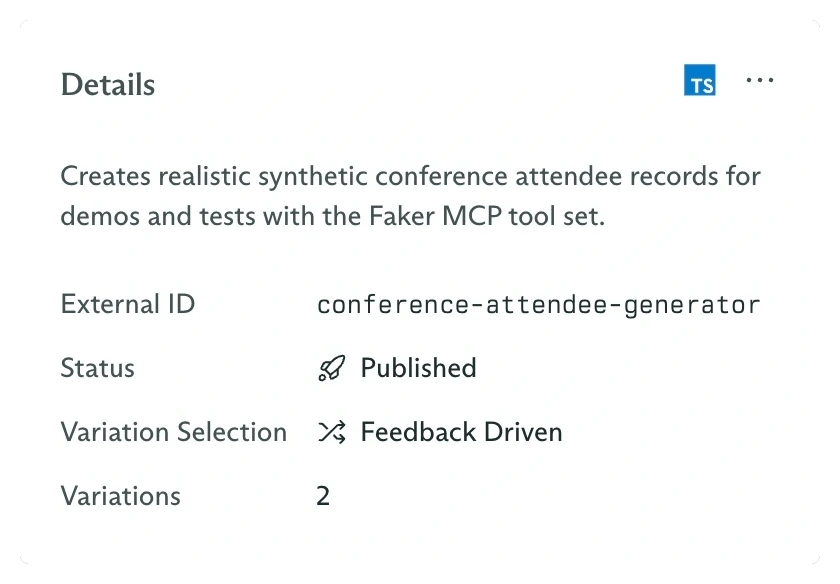
When `variationId` is omitted from objective creation, the agent's **Variation Selection** mode chooses a variation:
* **Random** gives every current variation equal probability.
* **Feedback Driven** uses Thompson Sampling. Each variation starts with the same uniform prior. Feedback on completed runs updates its Beta posterior, and each future objective samples once from every variation and chooses the highest draw.
Passing `variationId` pins a specific variation and overrides the agent's selection mode for that objective.
 Feedback changes future selection probability. It does not move an existing objective to a different variation, and it does not edit the objective's snapshot.
## Assignments are variation-specific
A variation can receive four kinds of capability:
* An individual tool.
* A complete tool set.
* Another published agent, exposed as a sub-agent tool.
* One or more memory layers in a precedence-ordered cascade.
This makes variations useful for more than prompt tests. You can compare models, different tool access, discovery settings, compaction strategies, or specialist delegation while the agent ID remains stable.
Build the smallest complete agent through the dashboard.
Add candidate configurations and choose Random or Feedback Driven selection.
Attach tools, tool sets, sub-agents, and memory layers.
See how an objective score changes the samples used by future objectives.
Feedback changes future selection probability. It does not move an existing objective to a different variation, and it does not edit the objective's snapshot.
## Assignments are variation-specific
A variation can receive four kinds of capability:
* An individual tool.
* A complete tool set.
* Another published agent, exposed as a sub-agent tool.
* One or more memory layers in a precedence-ordered cascade.
This makes variations useful for more than prompt tests. You can compare models, different tool access, discovery settings, compaction strategies, or specialist delegation while the agent ID remains stable.
Build the smallest complete agent through the dashboard.
Add candidate configurations and choose Random or Feedback Driven selection.
Attach tools, tool sets, sub-agents, and memory layers.
See how an objective score changes the samples used by future objectives.